ZigZag Fractal Marks
Checks whether fractals confirmed over five bars are also the highest or lowest price of a set number of bars. Judgements for two periods are colour-coded, and round dots are placed on the confirming bar two bars after the centre.
Coming soon · MT5 only · no licence file needed
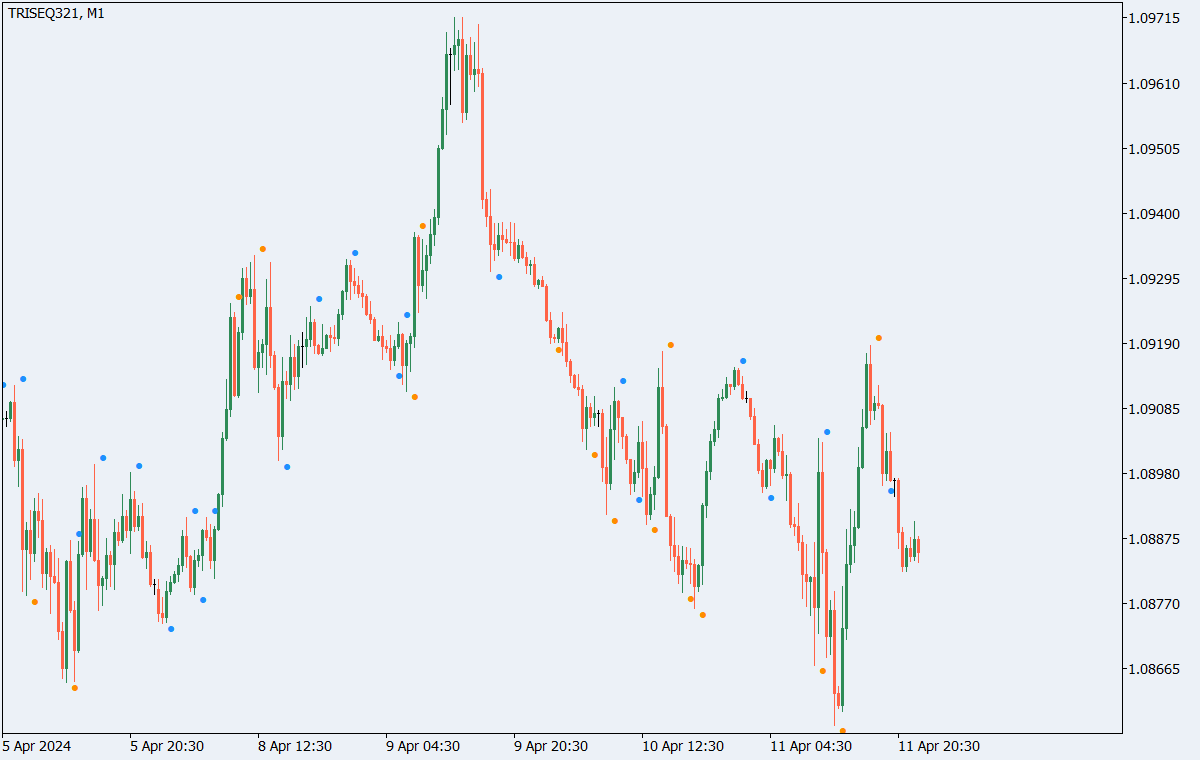
Examples with changed settings are in the manual.
Main settings
| Input | Default |
|---|---|
| Depth 1 (bars, 2 to 1000) | 6 |
| Depth 2 (bars, 2 to 1000, 0 = not used) | 24 |
| Distance (points, 0 to 100000) | 10 |
| Closed Bars Only | true |
| Show Trilogy brand and QR code | true |
| Brand position (chart corner) | Lower left |
| Brand horizontal offset (pixels) | 10 |
| Brand vertical offset (pixels) | 10 |
Usage specifications
When history or settings are changed
The statement that confirmed output is not moved is limited to cases where new bars are added with the same history and the same settings. It does not guarantee the same results after history corrections, additional loading or input changes.
Forming confirming bar
With Closed Bars Only=false, whether a fractal forms changes with the high and low of the latest bar, and the latest dot can change or disappear.
When the same period is selected
If Depth 1 and Depth 2 are the same, evaluations in the same direction are combined into orange. Red and blue are not always shown.
Conditions different from the original ZigZag
The match with ZigZag candidates that are redrawn later is replaced with a condition that the center is the extreme within the period. There is no Deviation, Backstep or automatic display distance per timeframe.
For on-screen display only
The display is a record of calculation results. It does not direct trading decisions and does not guarantee future price movements.
Full manual
How to read the display, the settings, installation and what to check when something goes wrong, on one page. The product is in preparation for release; the manual is published so that you can review its content.
- MT5 display and examples of changed settings
- How to read it in 30 seconds
- What it measures
- Situations for reading the display
- Steps for checking the display
- Installation and checking the package contents
- Settings
- Usage specifications
- Troubleshooting and usage notes
- Technical information and specification details