Weighted CCI Run Histogram
Adds weighting by range ratio and capping to two or three CCIs and shows the slow CCI as a line and bars. The bar colour and the colour of the line at height 0 represent separate calculation conditions.
Coming soon · MT5 only · no licence file needed
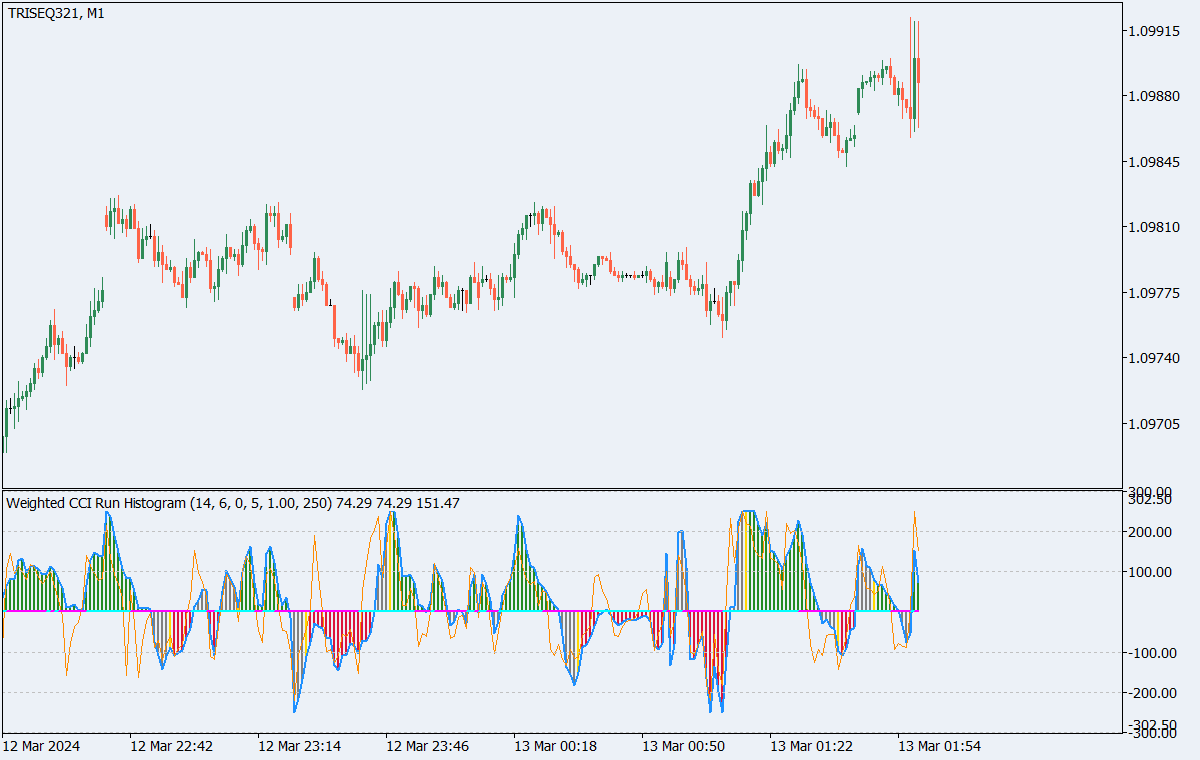
Examples with changed settings are in the manual.
Main settings
| Input | Default |
|---|---|
| Slow CCI Period | 14 |
| Fast CCI Period | 6 |
| Extra CCI Period (0 = off) | 0 |
| Run Bars | 5 |
| Zero Line Reference | LSMA |
| LSMA Period | 25 |
| EMA Period | 34 |
| EMA Applied Price | Close |
| Weight (0 = off) | 1 |
| Clip Level (0 = off) | 250 |
| Alert on Closed-Bar Level Cross | false |
| Upper Alert Level | 0 |
| Lower Alert Level | 0 |
Usage specifications
Forming bar
The values and colors of the rightmost bar change while the bar is forming. Past displays are also recalculated when history is added or corrected or settings are changed.
Do not judge blanks by the displayed numbers alone
If the required history is insufficient, lines and bars are not drawn. The 0 in the header alone cannot distinguish a valid 0 from the state before calculation, so check the number of bars and the drawing together.
Start of display
When weighting is enabled, each CCI starts from bar 49 or the bar number of its period, whichever is larger. When weighting is removed, each starts from the bar number of its period. The 0 line additionally requires the reference to be prepared.
Not a simple replacement for the standard CCI
It combines handling for windows with a constant price, weights, caps and count colors. Do not treat its displayed values as the same as the standard CCI.
Scope of notifications
This product has no email or push sending function of its own. Notification sounds also depend on the terminal settings.
Only 1 instance of the same product on 1 chart
This manual describes adding 1 instance of this product to 1 chart. To compare different settings, use separate charts.
For on-screen display only
Displays, marks and notifications are records of calculation results. They do not direct trading decisions and do not guarantee future price movements.
Full manual
How to read the display, the settings, installation and what to check when something goes wrong, on one page. The product is in preparation for release; the manual is published so that you can review its content.
- MT5 display and examples of changed settings
- How to read it in 30 seconds
- What it measures
- Situations for reading the display
- Steps for checking the display
- Installation and checking the package contents
- Settings
- Usage specifications
- Troubleshooting and usage notes
- Technical information and specification details