VW Range Position
Measures from 0 to 100 where a volume-weighted representative price sits within the recent range of movement, and shows it in a sub-window with the space between a fast and a slow line filled.
Coming soon · MT5 only · no licence file needed
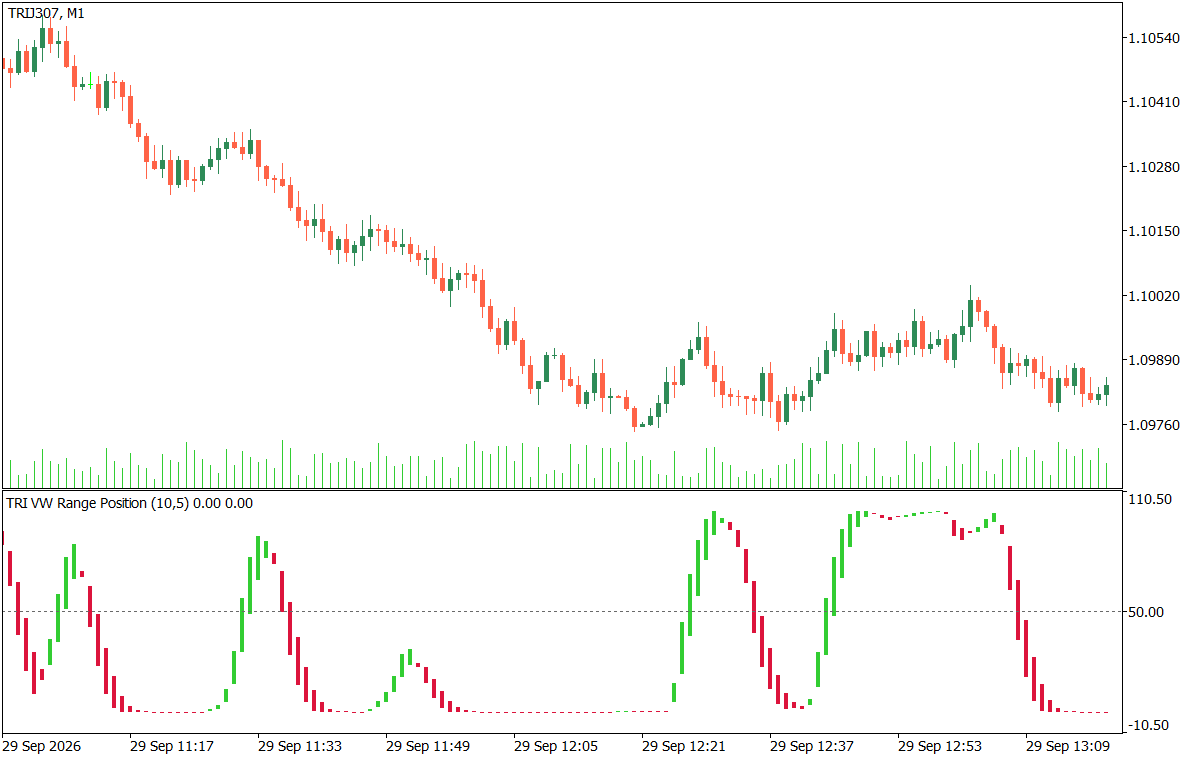
Examples with changed settings are in the manual.
Main settings
| Input | Default |
|---|---|
| Bars for the range | 10 |
| Bars for the weighted average | 5 |
Usage specifications
Where the display starts
Display starts from the bar after a number of bars equal to 3 times “weighted average count − 1” plus “range measurement count − 1” have passed. With the defaults, the first displayed bar is the 22nd bar counted from the oldest bar.
Volume used
It is the tick count recorded by MetaTrader 5. It is not the traded quantity, and how it appears differs by data provider. If the total tick count in the calculation window is 0, it switches to a simple average of the typical price.
Value range
Calculated with normal finite prices and a positive point, the position and the 2 smoothed lines are mathematically in the range 0–100. If the width is less than 1 point, the denominator is set to 1 point, so the value does not exceed 100 for this reason. Display rounding and tiny floating-point errors are a separate matter. The display range is not fixed.
Band color
Green if the fast line is above the slow line; red otherwise. When the values are equal, red is assigned, but the band width is 0 and it may not be visible. The color does not directly indicate a rise or fall from the previous bar.
Handling of the current bar
The current bar is recalculated each time the price or volume moves. When the bar closes, its value and color are also fixed.
Additions and corrections to history
If the data provider adds or corrects past bars, recalculation runs from that range.
Full manual
How to read the display, the settings, installation and what to check when something goes wrong, on one page. The product is in preparation for release; the manual is published so that you can review its content.