Two MA Band
Shows the order of two moving averages and the gap between them with a light-blue or magenta band.
Coming soon · MT5 only · no licence file needed
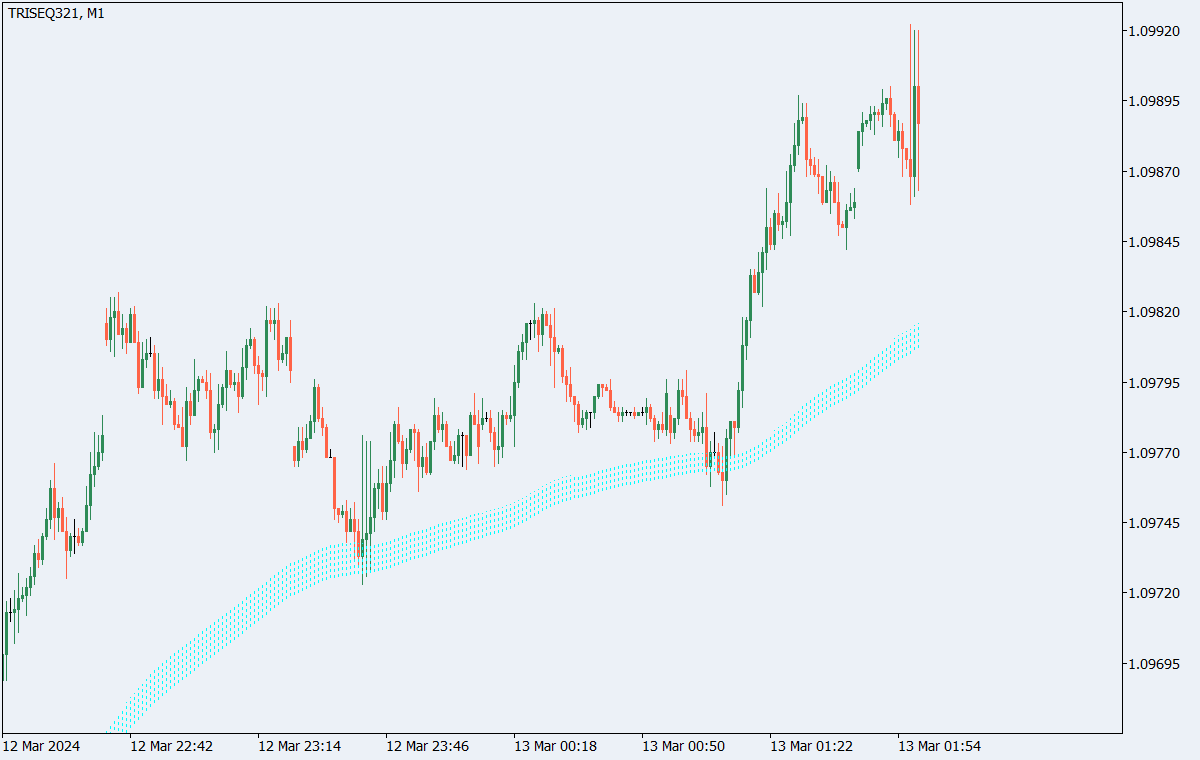
Examples with changed settings are in the manual.
Main settings
| Input | Default |
|---|---|
| First MA Period | 144 |
| Second MA Period | 169 |
| MA Method | EMA |
| First MA Price | Close |
| Second MA Price | Close |
Usage specifications
MT5 only, no account authentication
This product is for MT5. It cannot be used on MT4. No registration, account authentication or license file is required.
The 2 lines are not drawn
Only the band between the 2 values appears on the chart. The calculated values are available as First MA and Second MA in the Data Window.
The latest bar changes
On the forming bar, the band width and color change with price updates. Past values may also change when history is added or corrected.
No notifications or orders
There are no notifications such as sounds or pop-ups when the color switches, and no automatic order function.
Only 1 instance of the same product on 1 chart
This manual describes adding 1 instance of this product to 1 chart. To compare different settings, use separate charts.
For on-screen display only
The display is a record of calculation results. It does not direct trading decisions and does not guarantee future price movements.
Full manual
How to read the display, the settings, installation and what to check when something goes wrong, on one page. The product is in preparation for release; the manual is published so that you can review its content.
- MT5 display and examples of changed settings
- How to read it in 30 seconds
- What it measures
- Situations for reading the display
- Steps for checking the display
- Installation and checking the package contents
- Settings
- Usage specifications
- Troubleshooting and usage notes
- Technical information and specification details