Stochastic Momentum Index
Turns into a ratio how far the close is from the midpoint of the period's high and low, smoothing it and the range separately in two stages.
Coming soon · MT5 only · no licence file needed
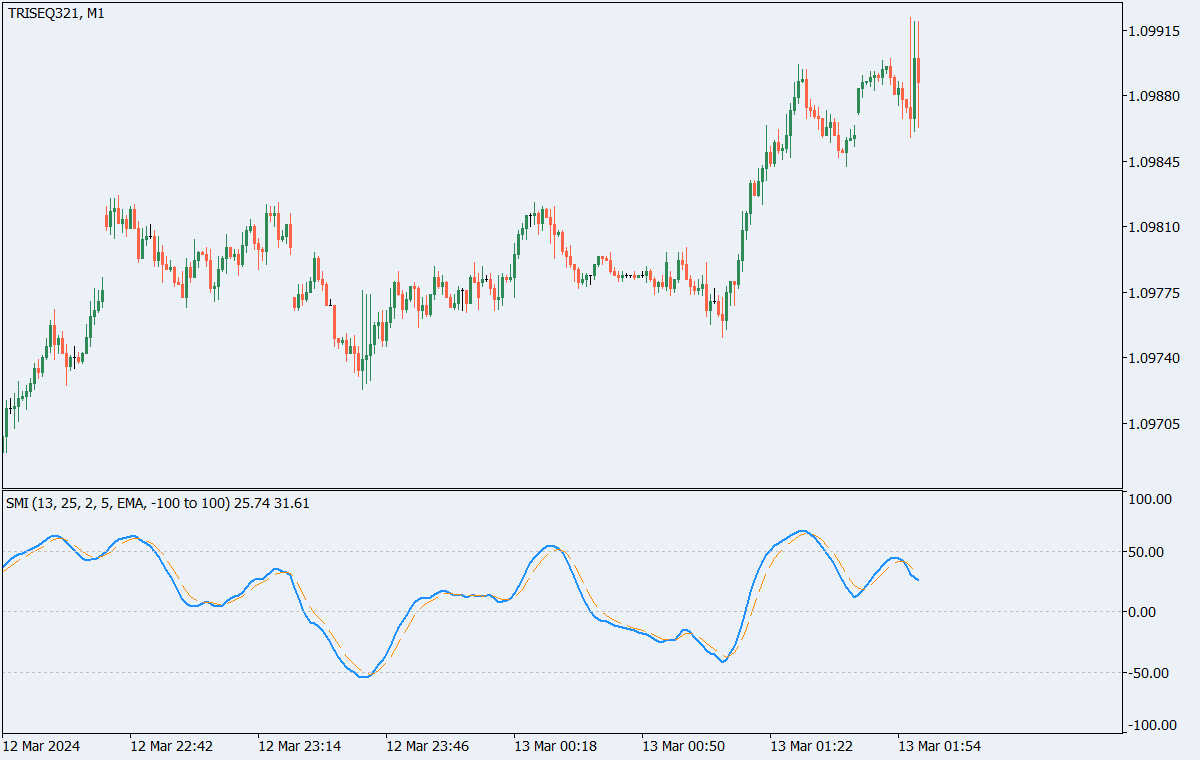
Examples with changed settings are in the manual.
Main settings
| Input | Default |
|---|---|
| Range Period | 13 |
| First Smoothing Period | 25 |
| Second Smoothing Period | 2 |
| Average Period (0 = off) | 5 |
| Smoothing Method | EMA |
| Output Scale | -100 to 100 |
Usage specifications
Order of the ratio
It is not a method that first calculates distance ÷ range and then averages in two stages. Its calculation order also differs from Smoothed Stochastic, so even with matching periods the lines are not necessarily the same.
Conditions for a zero range
Even with EMA or SMMA, if the history is completely flat from the start, the value becomes neutral. If First and Second are both 1, no past values are carried in the smoothing, and a range of 0 gives the neutral value. With general settings, the decision is based on the denominator after smoothing.
Influence of the past
With EMA and SMMA, the initial value of the history also affects later bars. When the loaded history range changes, the values at the same time do not necessarily match exactly.
The forming bar changes
On the latest bar, values and colors change with price updates. If the timeframe, the start of the history or past prices change, the recalculated values may also change.
Do not judge by 0.00 in the header alone
Even for a line that is not drawn because the required history is insufficient, 0.00 may appear in the separate window's header. Check whether the line is present together with the required number of bars. Values of lines hidden by input are not shown in the header either.
Keep unused inputs within range too
Periods of unselected methods and similar inputs are also subject to the input range check. If out of range, it does not start, and a 1-line reason in English appears in the Experts tab.
Only 1 instance of the same product on 1 chart
This manual describes adding 1 instance of this product to 1 chart. To compare different settings, use separate charts.
For on-screen display only
This product is for displaying calculation results on the screen. It does not guarantee future price movement.
Full manual
How to read the display, the settings, installation and what to check when something goes wrong, on one page. The product is in preparation for release; the manual is published so that you can review its content.
- MT5 display and examples of changed settings
- How to read it in 30 seconds
- What it measures
- Situations for reading the display
- Steps for checking the display
- Installation and checking the package contents
- Settings
- Usage specifications
- Troubleshooting and usage notes
- Technical information and specification details