Stochastic Blend
Combines with weights up to five in-range ratios of different periods into one 0-100 main line. A moving average of the combined value can also be shown.
Coming soon · MT5 only · no licence file needed
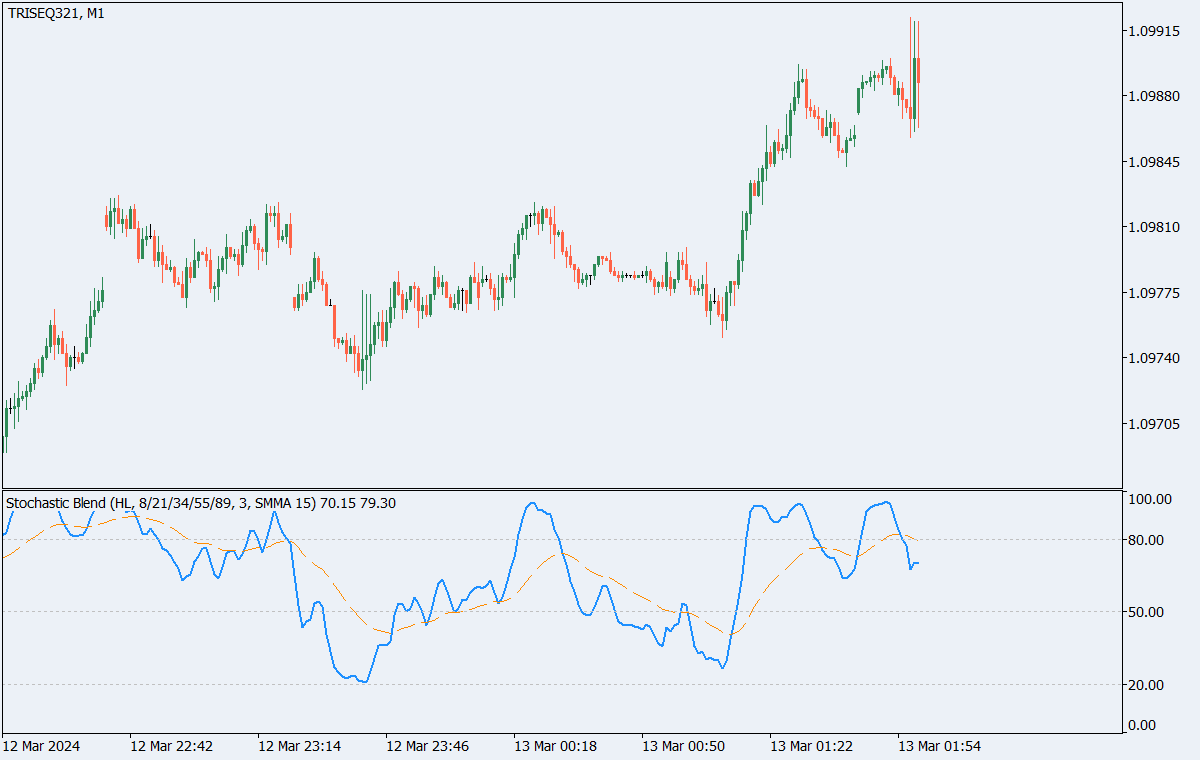
Examples with changed settings are in the manual.
Main settings
| Input | Default |
|---|---|
| Price Field | Low/High |
| Slowing | 3 |
| Period 1 | 8 |
| Weight 1 (0 = off) | 0.05 |
| Period 2 | 21 |
| Weight 2 (0 = off) | 0.1 |
| Period 3 | 34 |
| Weight 3 (0 = off) | 0.16 |
| Period 4 | 55 |
| Weight 4 (0 = off) | 0.26 |
| Period 5 | 89 |
| Weight 5 (0 = off) | 0.43 |
| Average Period (0 = off) | 15 |
| Average Method | SMMA |
Usage specifications
Sections without price movement
Starting with the short-period frames, the sum of ranges becomes 0 and the value moves toward 100, but the line does not necessarily keep rising. If the flat section lasts at least the maximum period of the active frames + Slowing − 1 bars, all frames become 100. With the defaults this is 91 bars. 100 does not indicate the strength of a rise.
What “flat” means
Low/High distinguishes the case where bars continue with the same high and low, and Close/Close the case where bars continue with only the same close.
Handling of weight 0
That frame is not included in the calculation or in the number of bars for the first value. However, its period must still be within 2 to 500. It cannot start if all frames have weight 0.
The 0 in the header and whether a line exists
Even if 0.00 appears in the separate window header, there may be no value because the required history is insufficient. To distinguish this from a valid value of 0, also check whether the line exists and the bar at which drawing starts.
History and the average
The EMA/SMMA average depends on the start of the history and may differ by a few points near where drawing begins. The main line and the SMA/LWMA average are determined by the required finite window.
Levels and notifications
The silver 20, 50 and 80 are position scale lines. 0 and 100 overlap the frame. There are no marks or notifications.
Forming bar and recalculation
The value of the latest bar changes while it is forming. Past values may also be recalculated when history is added or corrected, so this is not a guarantee of no repainting.
Input checks
Inputs for unused lines and methods are also checked against the allowed range. Simply turning off the display does not cause invalid periods or similar values to be ignored.
Only 1 instance of the same product on 1 chart
This manual describes adding 1 instance of this product to 1 chart. To compare different settings, use separate charts.
For on-screen display only
Displays, marks and notifications are records of calculation results. They do not direct trading decisions and do not guarantee future price movements.
Full manual
How to read the display, the settings, installation and what to check when something goes wrong, on one page. The product is in preparation for release; the manual is published so that you can review its content.
- MT5 display and examples of changed settings
- How to read it in 30 seconds
- What it measures
- Situations for reading the display
- Steps for checking the display
- Installation and checking the package contents
- Settings
- Usage specifications
- Troubleshooting and usage notes
- Technical information and specification details