Stepped Fractal Levels
Uses highs and lows judged over five bars and switches red and blue dot levels only when the update-width condition is met.
Coming soon · MT5 only · no licence file needed
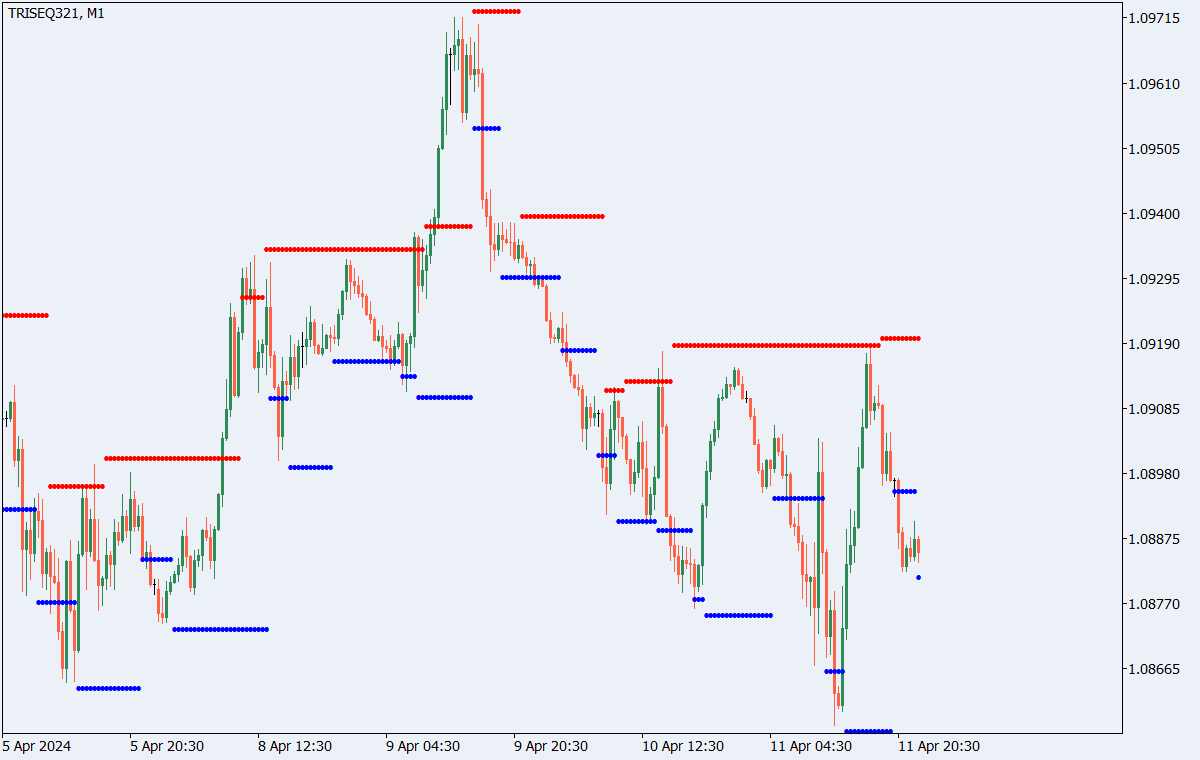
Examples with changed settings are in the manual.
Main settings
| Input | Default |
|---|---|
| Step (points) | 150 |
| Offset From The Fractal (points) | 10 |
| Shift Bars (0 to 100) | 1 |
| Show Trilogy brand and QR code | true |
| Brand position (chart corner) | Lower left |
| Brand horizontal offset (pixels) | 10 |
| Brand vertical offset (pixels) | 10 |
Usage specifications
Display timing
The bar Shift bars before the bar t where the dot is placed is the end of the evaluation window. Dots are not placed back on the center bar afterward.
Initial display
At least Shift+5 bars are required. Until an actual fractal appears, the dots on that side are empty. One side can be drawn without waiting for the other.
Holding and updating
When there is no high/low candidate, and when there is a candidate but it does not meet the width condition, the previous value is carried over as is.
History and inputs
Adding to or correcting the history may change results from the initial state. Loading is refused if Step or Offset is outside 0 to 100000, or Shift is outside 0 to 100.
For on-screen display only
The display is a record of calculation results. It does not direct trading decisions and does not guarantee future price movements.
Full manual
How to read the display, the settings, installation and what to check when something goes wrong, on one page. The product is in preparation for release; the manual is published so that you can review its content.
- MT5 display and examples of changed settings
- How to read it in 30 seconds
- What it measures
- Situations for reading the display
- Steps for checking the display
- Installation and checking the package contents
- Settings
- Usage specifications
- Troubleshooting and usage notes
- Technical information and specification details