Smoothed CCI
Smooths the difference between price and a centre line divided by deviation and shows it as a blue line and positive or negative bars. The centre method and the later smoothing method can be selected separately.
Coming soon · MT5 only · no licence file needed
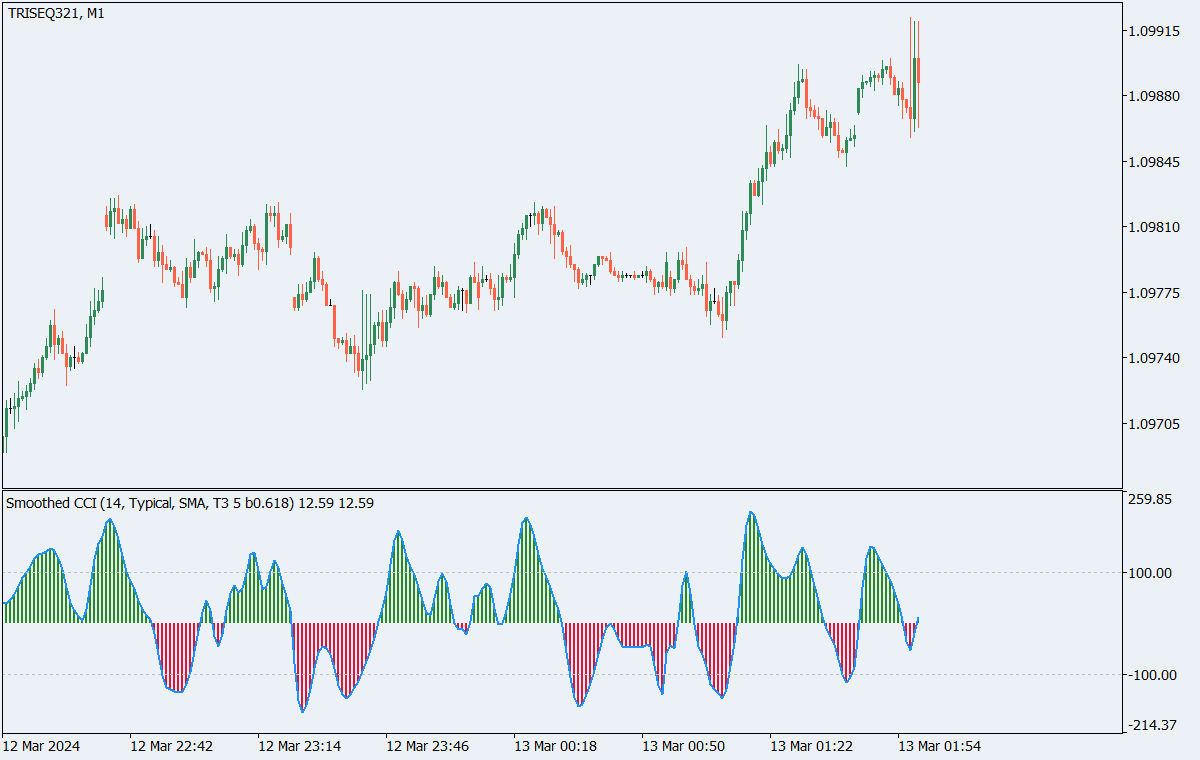
Examples with changed settings are in the manual.
Main settings
| Input | Default |
|---|---|
| CCI Period | 14 |
| Applied Price | Typical |
| Center Method | SMA |
| Smoothing | T3 |
| Smoothing Period | 5 |
| T3 Factor (0 to 1) | 0.618 |
| Show Unsmoothed CCI | false |
| Show Histogram | true |
Usage specifications
Smoothing and flat sections
Because of the smoothing state, the line may swing above and below 0 and the bar color may change even when the price stops. Even a small movement right after a stop can make the value before smoothing large.
The vertical axis is automatic
±100 are level lines, not upper or lower limits of the value.
The 0 in the header and whether a line exists
Even if 0.00 appears in the separate window header, there may be no value because the required history is insufficient. To distinguish this from a valid value of 0, also check whether the line exists and the bar at which drawing starts.
History dependence
With center EMA or SMMA, or smoothing T3, EMA or SMMA, values can change with the start of the history. With center SMA, LWMA or LSMA combined with smoothing None, SMA or LWMA, it calculates within the required finite window.
Forming bar and recalculation
The value of the latest bar changes while it is forming. Past values may also be recalculated when history is added or corrected, so this is not a guarantee of no repainting.
Input checks
Inputs for unused lines and methods are also checked against the allowed range. Simply turning off the display does not cause invalid periods or similar values to be ignored.
Only 1 instance of the same product on 1 chart
This manual describes adding 1 instance of this product to 1 chart. To compare different settings, use separate charts.
For on-screen display only
Displays, marks and notifications are records of calculation results. They do not direct trading decisions and do not guarantee future price movements.
Full manual
How to read the display, the settings, installation and what to check when something goes wrong, on one page. The product is in preparation for release; the manual is published so that you can review its content.
- MT5 display and examples of changed settings
- How to read it in 30 seconds
- What it measures
- Situations for reading the display
- Steps for checking the display
- Installation and checking the package contents
- Settings
- Usage specifications
- Troubleshooting and usage notes
- Technical information and specification details