Session Profile Levels
Counts, for each price, the bars of the previous trading day whose range included it, and shows on the next trading day the most frequent price and an aggregation range around it.
Coming soon · MT5 only · no licence file needed
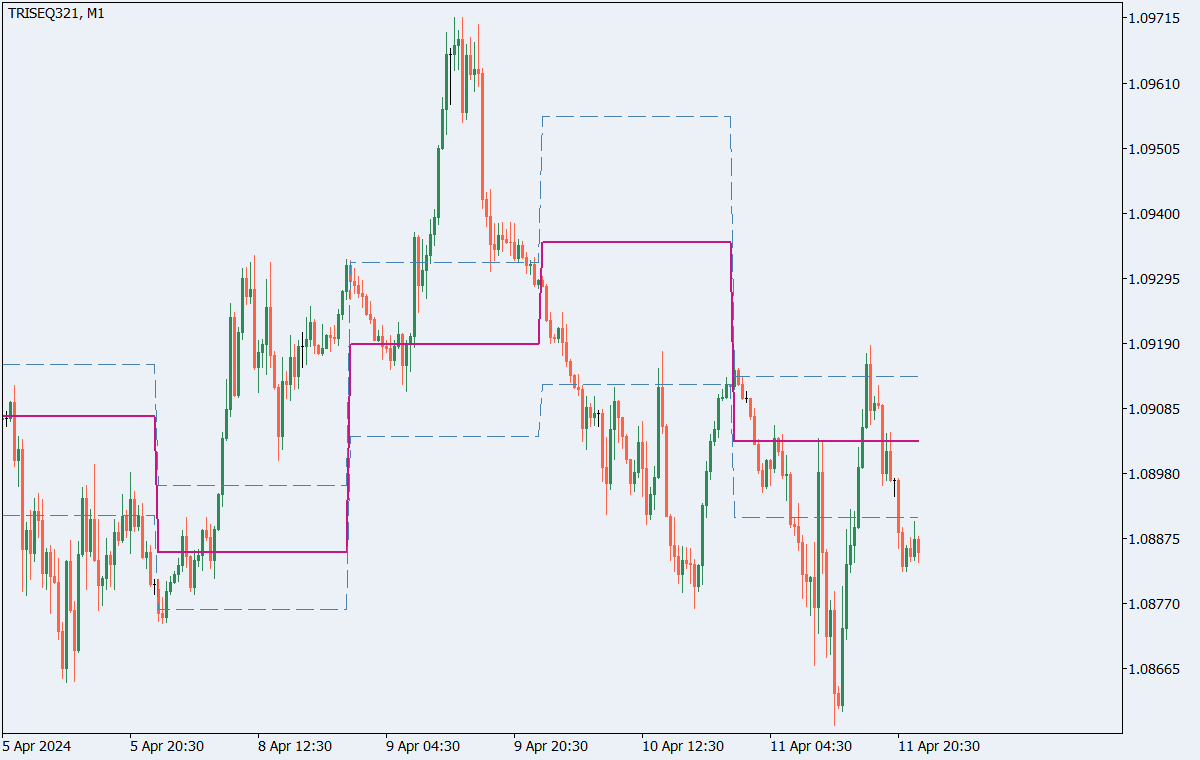
Examples with changed settings are in the manual.
Main settings
| Input | Default |
|---|---|
| Price Step (points) | 4 |
| Value Area (%) | 70 |
| Session Start Hour | 0 |
| Session Start Minute | 0 |
Usage specifications
Preparing the display
The first period of the history is not used because it may start partway through. No lines are shown in the first 2 periods; from the next period, the values of the previous completed period are shown.
Trading day boundaries
The start time is the terminal server time. If the start is noon or later, the time after that start is treated as belonging to the next day. Boundaries treated as Saturday or Sunday do not start a new period and are merged into the preceding period.
Days that cannot be aggregated
If the step is larger than the range of the bars, there may be days on which no bar contains a grid level. If the aggregate count for that period is 0, none of the POC, upper edge or lower edge is shown for the next period.
Scope of functions
It does not draw a horizontal distribution histogram. There are no notification, sound or order functions, and no account authentication or license file is required. MT5 only.
For on-screen display only
The display is a record of calculation results. It does not direct trading decisions and does not guarantee future price movements.
Full manual
How to read the display, the settings, installation and what to check when something goes wrong, on one page. The product is in preparation for release; the manual is published so that you can review its content.
- MT5 display and examples of changed settings
- How to read it in 30 seconds
- What it measures
- Situations for reading the display
- Steps for checking the display
- Installation and checking the package contents
- Settings
- Usage specifications
- Troubleshooting and usage notes
- Technical information and specification details