RSI Streak Marks
Combines the previous bar's close relative to a moving average, consecutive RSI changes and an optional Hull slope, and marks the next bar when the conditions agree. The arrow direction is not the same as the direction of RSI change.
Coming soon · MT5 only · no licence file needed
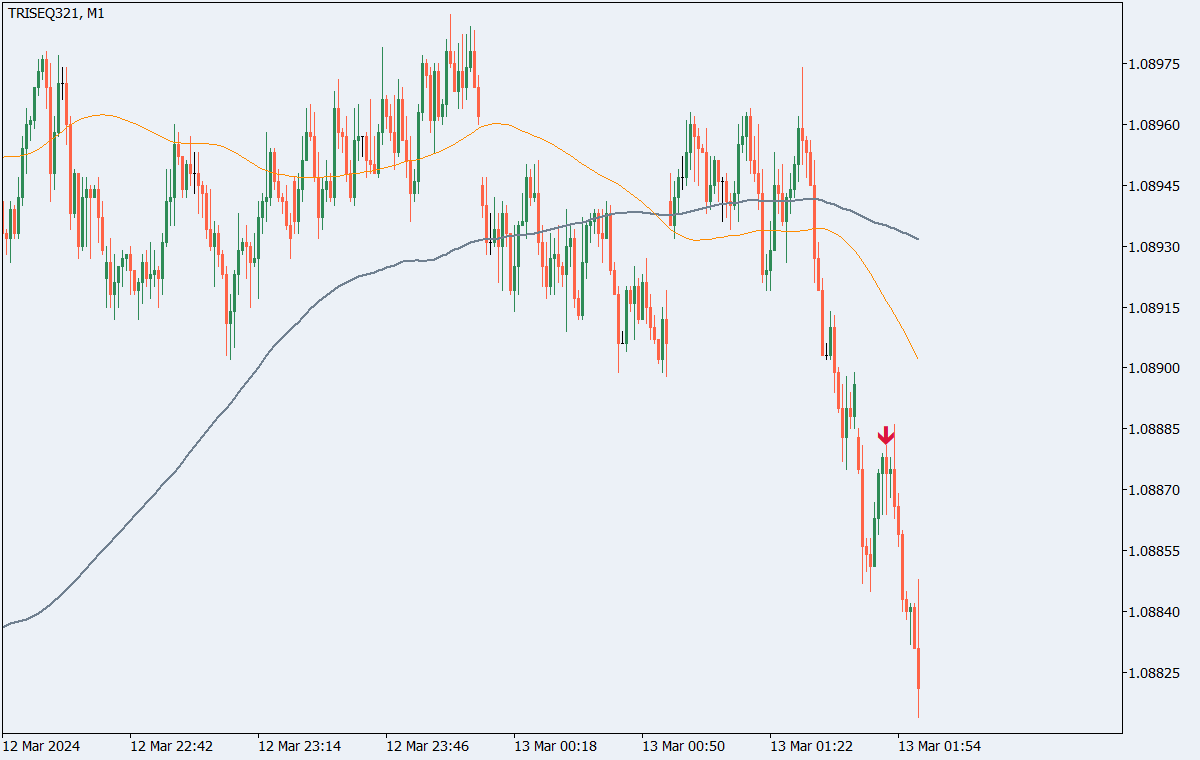
Examples with changed settings are in the manual.
Main settings
| Input | Default |
|---|---|
| Trend MA Period | 200 |
| Trend MA Method | Simple(SMA) |
| Hull MA Period (0 = off) | 200 |
| Hull Slope Minimum (points) | 1 |
| RSI Period | 2 |
| Applied Price | Close |
| Fall Start Below (RSI) | 65 |
| Rise Start Above (RSI) | 35 |
| Arrow Gap (pixels) | 8 |
Usage specifications
Judgment and vertical position
In the calculation, whether a mark appears is determined by data before that bar. With the same past data, price movement on the current bar is not used for the judgment, but the vertical position of the mark follows the current high and low.
Changes in history
Calculation results may change when history is added or corrected or settings change. Permanent non-repainting is not guaranteed.
Initial blank
By default, Trend starts from the 200th bar, Hull from the 213th bar and marks from the 215th bar onward. With only 200 bars of history, Hull and the marks do not appear.
Consecutive marks and notifications
If the conditions continue, marks may be placed on adjacent bars. They are not limited to the first 1 occurrence. There is no notification function.
Only 1 instance of the same product on 1 chart
This manual describes adding 1 instance of this product to 1 chart. To compare different settings, use separate charts.
For on-screen display only
This product shows calculation results through plot buffers and does not place trade orders. It does not guarantee profit or future price movement.
Full manual
How to read the display, the settings, installation and what to check when something goes wrong, on one page. The product is in preparation for release; the manual is published so that you can review its content.
- MT5 display and examples of changed settings
- How to read it in 30 seconds
- What it measures
- Situations for reading the display
- Steps for checking the display
- Installation and checking the package contents
- Settings
- Usage specifications
- Troubleshooting and usage notes
- Technical information and specification details