RSI Side Extremes
Shows as stepped lines the highest and lowest values while RSI stays on one side of 50.
Coming soon · MT5 only · no licence file needed
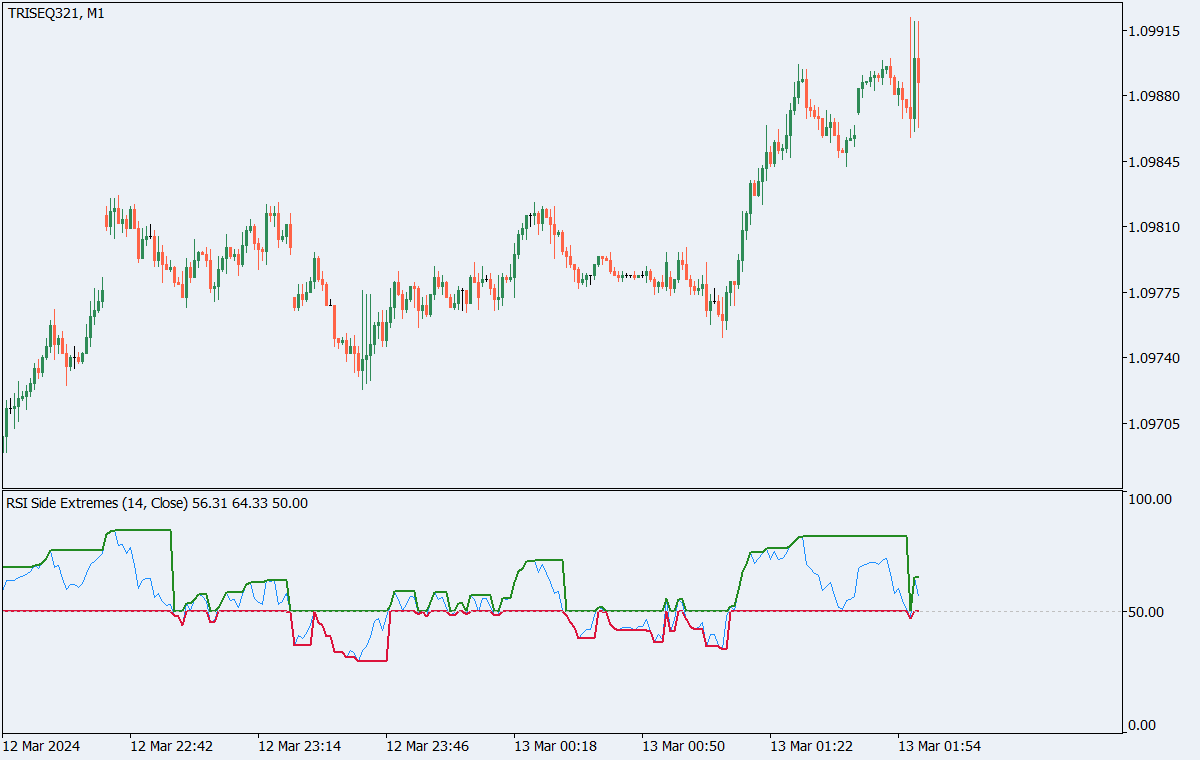
Examples with changed settings are in the manual.
Main settings
| Input | Default |
|---|---|
| RSI Period | 14 |
| Applied Price | Close |
Usage specifications
Extremes on the forming bar can revert
While it stays on the same side, it does not revert past the previous closed bar's extreme, but any extension made only on the latest bar can revert. When it reaches or crosses 50, that side returns to 50.
100 or 0 remains
After 100 is recorded on the upper side, green stays at 100 even as RSI falls, until RSI is 50 or below. 0 on the lower side also remains until RSI is 50 or above. Because display rounding may make a value look like 100, 100 alone does not establish that the average fall is exactly 0.
When the price stops
When the average rise and fall decay while their ratio is maintained, RSI can stay at values other than 50. A stop does not mean it is always 50.
Start of the history
RSI depends on the loading start position. Values near the start can differ significantly, and that difference can remain as a section extreme. The steps after the history changes are not always the same.
Only 1 instance of the same product on 1 chart
This manual describes adding 1 instance of this product to 1 chart. To compare different settings, use separate charts.
For on-screen display only
Displays, marks and notifications are records of calculation results. They do not direct trading decisions and do not guarantee future price movements.
Full manual
How to read the display, the settings, installation and what to check when something goes wrong, on one page. The product is in preparation for release; the manual is published so that you can review its content.
- MT5 display and examples of changed settings
- How to read it in 30 seconds
- What it measures
- Situations for reading the display
- Steps for checking the display
- Installation and checking the package contents
- Settings
- Usage specifications
- Troubleshooting and usage notes
- Technical information and specification details