Range Level Band
Takes the highest high and lowest low of a recent set number of bars as upper and lower lines, adds three lines dividing the space into four, and overlays five levels on the price chart.
Coming soon · MT5 only · no licence file needed
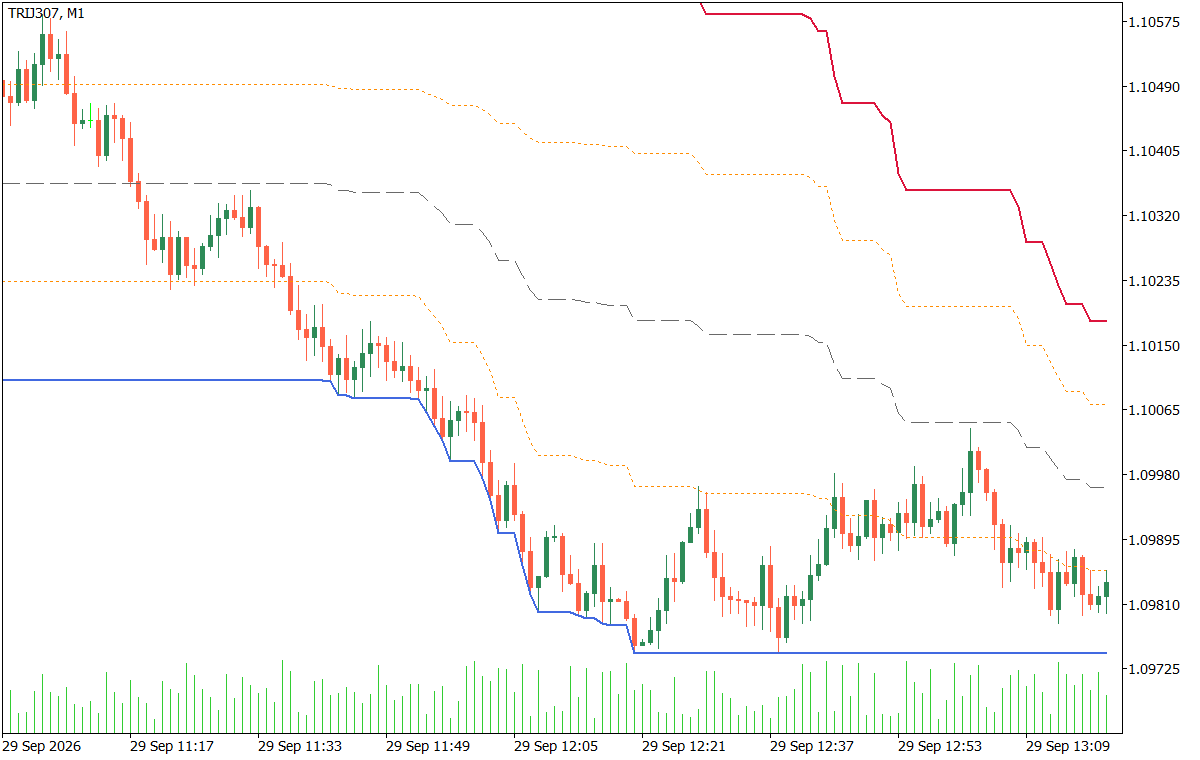
Examples with changed settings are in the manual.
Main settings
| Input | Default |
|---|---|
| Bars for the range | 96 |
| Reference shift (bars) | 0 |
Usage specifications
Where the display starts
Display starts from the bar after “reference shift count + range measurement count − 1” bars have passed. With the defaults, the first displayed bar is the 96th bar counted from the oldest bar.
Order of levels
The order upper limit ≧ upper 1/4 ≧ middle ≧ lower 1/4 ≧ lower limit is never broken.
Conditions under which the levels move
They move only when the bars in the range change and the maximum or minimum changes. On other bars they stay flat.
Unit
Same unit as the price. All 5 lines are placed on the vertical axis of the price chart.
Handling of the current bar
When the reference shift count is 0, the levels may move as the current bar's high and low are updated. They are fixed when the bar closes.
Additions and corrections to history
If the data provider adds or corrects past bars, recalculation runs from that range.
Full manual
How to read the display, the settings, installation and what to check when something goes wrong, on one page. The product is in preparation for release; the manual is published so that you can review its content.