Price Distance Lines
Draws two horizontal lines above and two below the close of the current chart bar, at a near and a far distance. They are guide lines that all move when price moves, not fixed stop-loss or take-profit prices.
Coming soon · MT5 only · no licence file needed
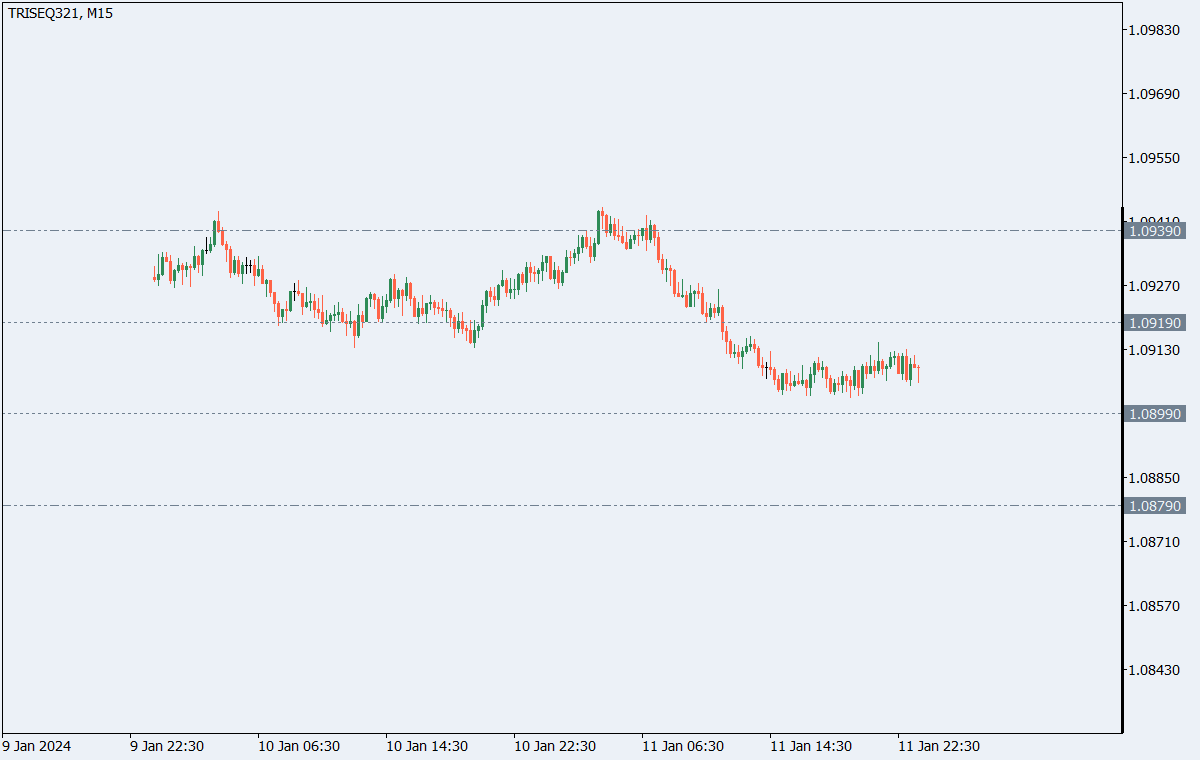
Examples with changed settings are in the manual.
Main settings
| Input | Default |
|---|---|
| Far Distance (points) | 300 |
| Near Distance (points) | 100 |
| Far Line Color | SlateGray |
| Near Line Color | SlateGray |
| Far Line Style | STYLE_DASHDOTDOT |
| Near Line Style | STYLE_DOT |
Usage specifications
Order of Near and Far
Although the names mean near and far, the input values are not automatically reordered by size. If Near is set larger than Far, the names and the visual inner/outer positions are reversed.
Price feed and history
The lines are updated when the chart bar's price can be obtained. While it cannot be obtained, earlier lines may remain. Do not mistake lines during market closure for new prices.
Difference from orders
The lines are on-screen objects; they do not place or modify Stop Loss or Take Profit. They do not send notifications either.
Only 1 instance of the same product on 1 chart
If you add the same product to the same chart more than once, the drawings overwrite each other, or deleting one also removes the display of the other. To use different settings at the same time, use separate charts.
For on-screen display only
It has no value buffers and shows its output as lines and text on the chart. It does not place trade orders or issue alerts. It does not guarantee profit or market direction.
Full manual
How to read the display, the settings, installation and what to check when something goes wrong, on one page. The product is in preparation for release; the manual is published so that you can review its content.