Pivot Range
Shows on the price chart a central pivot and upper and lower ranges from the previous period's high, low and close. The division time is set in server time.
Coming soon · MT5 only · no licence file needed
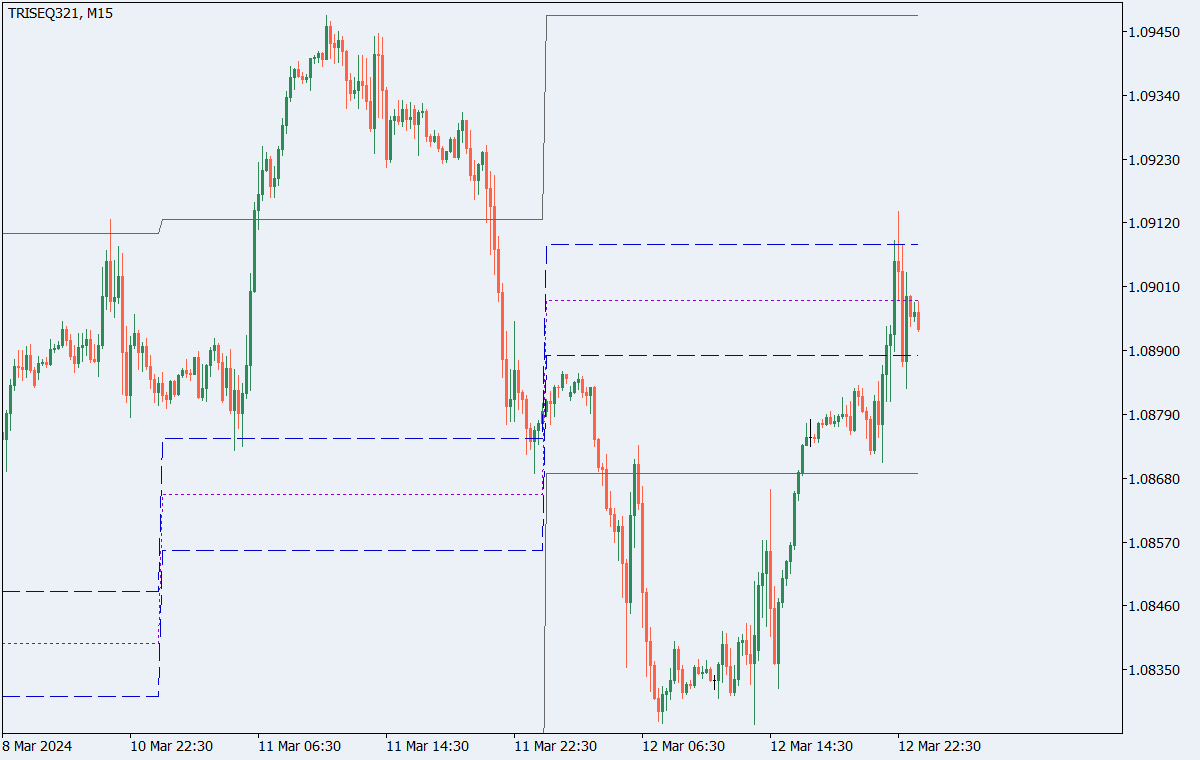
Examples with changed settings are in the manual.
Main settings
| Input | Default |
|---|---|
| Session Start Hour | 0 |
| Session Start Minute | 30 |
| Show Pivot | true |
| Show Previous High and Low | true |
Usage specifications
Boundary shifts by timeframe
With the default of 00:30, the boundary is the bar starting at 01:00 on H1 and at 04:00 on H4. If there is no bar exactly at the specified time, it is the first bar at or after that time.
Sundays and weekends
Sunday bars do not start a new section and are included in the previous section. At the start of the week, bars before the specified time are also included in the previous section.
The first 2 sections
The span from the oldest bar to just before the first boundary is section 1, and the next one is section 2; neither is drawn. This does not simply mean that the display appears after waiting 2 days.
Forming bar and history
The lines within a section are calculated from the previous section. When past history is added or corrected, or the boundary setting is changed, the display may change through recalculation.
Only 1 instance of the same product on 1 chart
This manual describes adding 1 instance of this product to 1 chart. To compare different settings, use separate charts.
For on-screen display only
Calculated values are stored in buffers and shown as lines and bars. It does not place trade orders or issue alerts. It does not guarantee profit or market direction.
Full manual
How to read the display, the settings, installation and what to check when something goes wrong, on one page. The product is in preparation for release; the manual is published so that you can review its content.
- MT5 display and examples of changed settings
- How to read it in 30 seconds
- What it measures
- Situations for reading the display
- Steps for checking the display
- Installation and checking the package contents
- Settings
- Usage specifications
- Troubleshooting and usage notes
- Technical information and specification details