MTF Oscillator Panel
Selects one of RSI, CCI or ADX and lays out the latest values of several timeframes side by side. The rightmost is the chart's timeframe and those to the left are longer timeframes.
Coming soon · MT5 only · no licence file needed
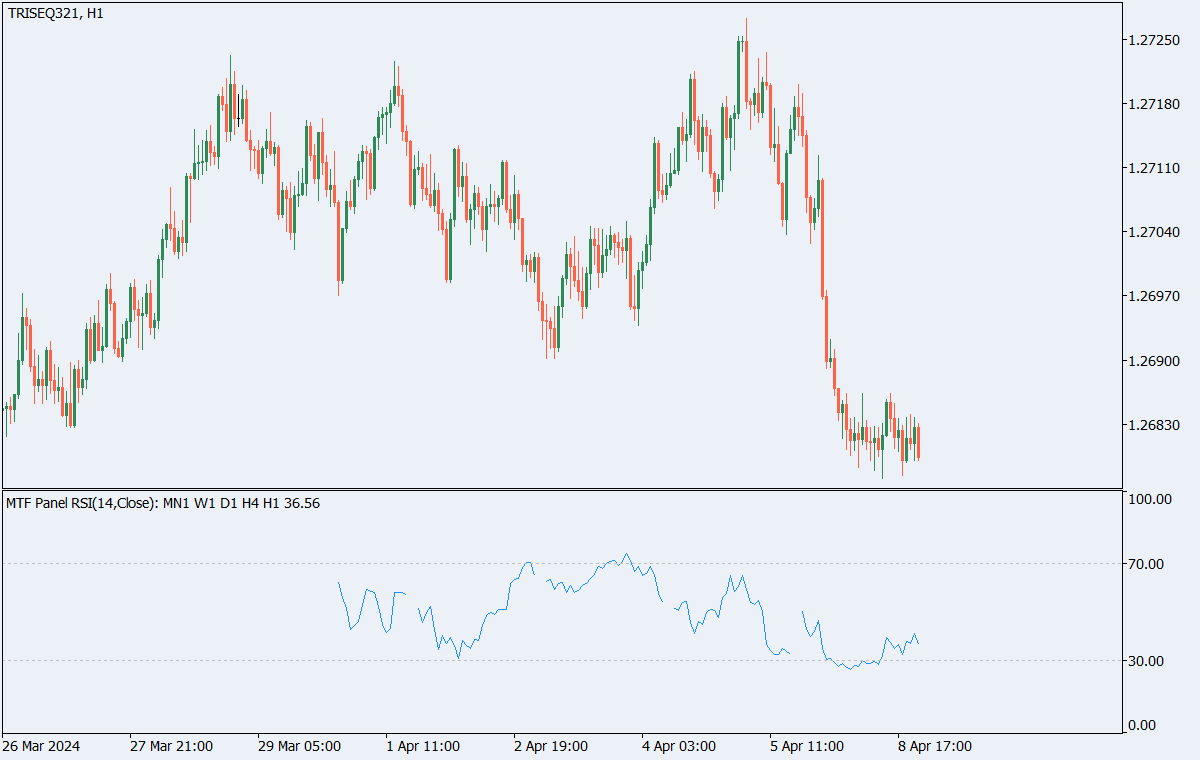
Examples with changed settings are in the manual.
Main settings
| Input | Default |
|---|---|
| Oscillator | RSI |
| Period | 14 |
| RSI Price | Close |
| CCI Price | Typical |
| Bars Per Timeframe | 30 |
| Number Of Timeframes | 7 |
| Gap Between Timeframes | 2 |
| Show +DI and -DI | true |
Usage specifications
Higher timeframes are built from the current chart
It does not read the history of other timeframes directly; it groups the bars loaded in the current chart. There are no higher-timeframe bars older than the chart's history. For longer timeframes, the section containing the chart's first bar is not used. In calculations for the same timeframe, the first bar is also used.
Day, week and month boundaries
In server time, the boundary is 00:00 for daily bars, Sunday 00:00 for weekly bars and 00:00 on the 1st of the month for monthly bars. Sections without bars are not filled with new bars. If there are bars on Sunday, that day is also counted as 1 daily bar.
Results change with the history
The calculation is redone when the chart's history is added or corrected, or when the oldest bar or the settings change. For recursively calculated EMA, SMMA, RSI and ADX, past values and colors may also change. It is not guaranteed that past displays remain unchanged under all conditions.
Forming sections
The right end of each section is the forming higher-timeframe bar. Its value changes during that bar, and when a new chart bar forms, the position of the whole panel also moves.
When values start appearing
With the default RSI14, values start from the 15th usable higher-timeframe bar, and 44 bars are needed for all 30. For longer timeframes, the first unused section is added as well. It also cannot be displayed if the chart bars do not reach the placement position.
Difference between this RSI and the standard indicator
In this product's RSI, when the average loss is 0, the value is 100 if there is an average gain, and 50 if the gain is also 0. Under this condition, the value may differ from the MT5 standard RSI. Do not treat it as equal to the standard RSI on every bar.
Keep unused inputs within range too
CCI Price is not used in the calculation with RSI, RSI Price is not used with CCI, and neither price is used with ADX. Show +DI and -DI has no effect with RSI or CCI, but the allowed range of each input is still checked.
Only 1 instance of the same product on 1 chart
This manual describes adding 1 instance of this product to 1 chart. To compare different settings, use separate charts.
For on-screen display only
This product is for displaying calculation results on the screen. It does not guarantee future price movement.
Full manual
How to read the display, the settings, installation and what to check when something goes wrong, on one page. The product is in preparation for release; the manual is published so that you can review its content.
- MT5 display and examples of changed settings
- How to read it in 30 seconds
- What it measures
- Situations for reading the display
- Steps for checking the display
- Installation and checking the package contents
- Settings
- Usage specifications
- Troubleshooting and usage notes
- Technical information and specification details