Momentum Stop Entry Level
Shows a level calculated from the Stochastic as dots only on bars where the change of MACD and the position of Heikin Ashi agree.
Coming soon · MT5 only · no licence file needed
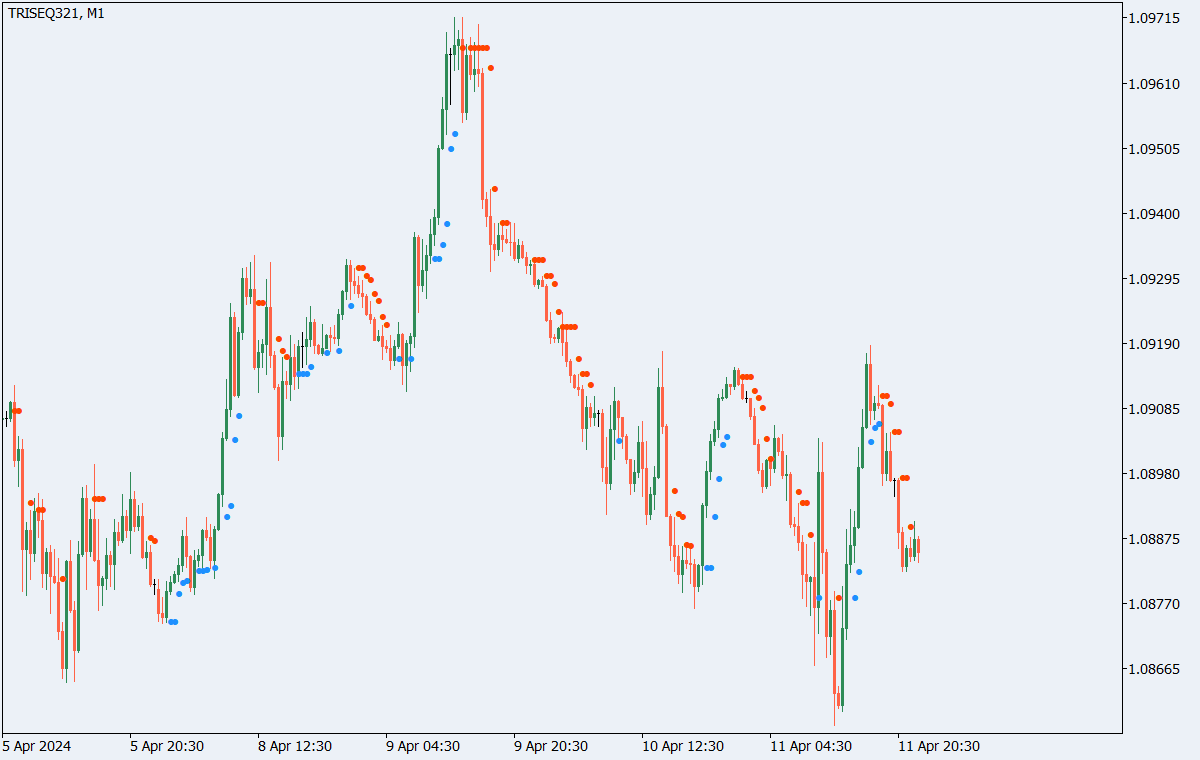
Examples with changed settings are in the manual.
Main settings
| Input | Default |
|---|---|
| MACD Fast EMA | 5 |
| MACD Slow EMA | 100 |
| %K Period | 5 |
| %D Period | 3 |
| Slowing | 3 |
| Search back for the earlier cross (bars) | 50 |
| Closed Bars Only | true |
| Show Trilogy brand and QR code | true |
| Brand position (chart corner) | Lower left |
| Brand horizontal offset (pixels) | 10 |
| Brand vertical offset (pixels) | 10 |
Usage specifications
Reference prices, not orders
The names buy side and sell side indicate the direction of the conditions. It does not place orders, set stop losses or manage open positions in the account. Because the actual spread is not added, it does not guarantee a price at which an order can be filled.
Equal values and continuous display
Bars where the MACD change is 0, or where the edge of the Heiken Ashi body equals the level, are not drawn. While the conditions continue, a dot is drawn on each bar. This is not a function that shows only the bar of a new crossing.
Increase or decrease of history
Calculates the states of the EMA, Heiken Ashi and levels from the past. If past history is added or corrected, values can change through recalculation.
Ranges where inputs are refused
Loading is refused if EMA, %K, %D or Slowing is outside 1 to 1000, or Search is outside 2 to 1000. Loading is not refused because of which of Fast and Slow is larger, or because they are equal.
For on-screen display only
The display is a record of calculation results. It does not direct trading decisions and does not guarantee future price movements.
Full manual
How to read the display, the settings, installation and what to check when something goes wrong, on one page. The product is in preparation for release; the manual is published so that you can review its content.
- MT5 display and examples of changed settings
- How to read it in 30 seconds
- What it measures
- Situations for reading the display
- Steps for checking the display
- Installation and checking the package contents
- Settings
- Usage specifications
- Troubleshooting and usage notes
- Technical information and specification details