Momentum Plus
Compares the current price with the price a set number of bars ago as a ratio, a rate of change or a price difference.
Coming soon · MT5 only · no licence file needed
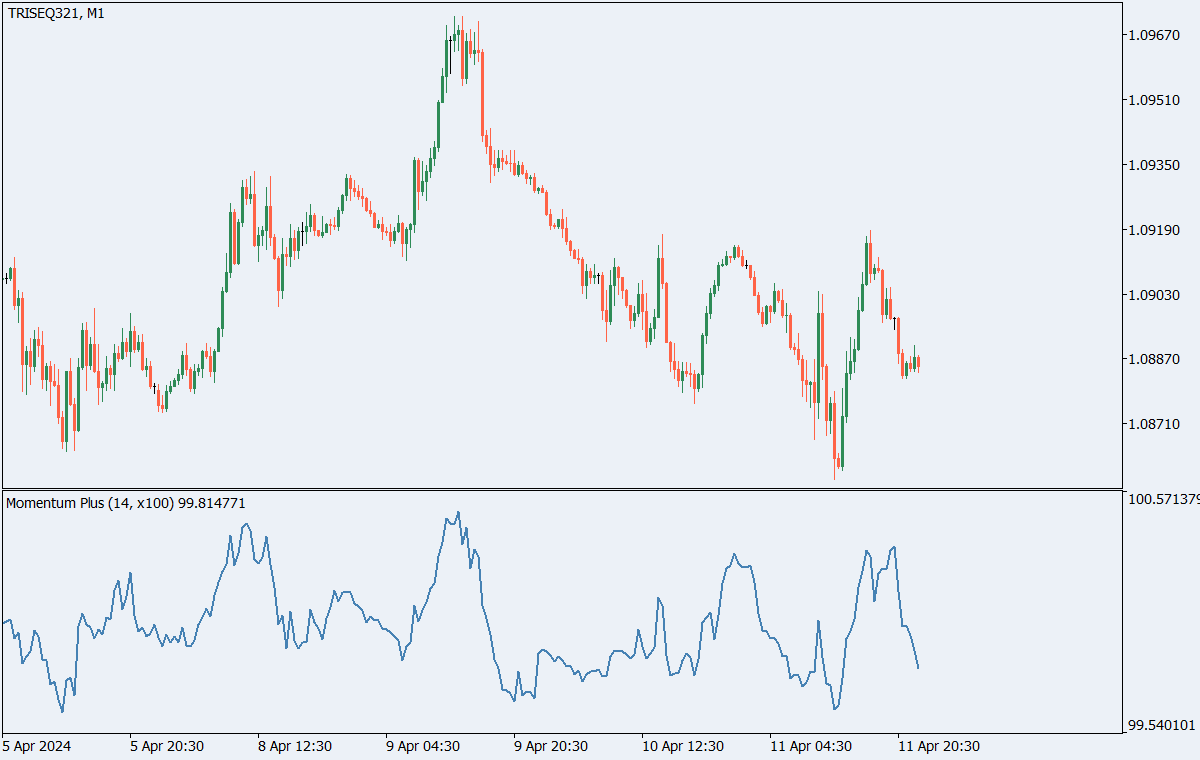
Examples with changed settings are in the manual.
Main settings
| Input | Default |
|---|---|
| Period 1 | 14 |
| Period 2 (0 = off) | 0 |
| Mode | Momentum (price x 100 / earlier price) |
| Price | Close |
| Signal Period (0 = off) | 0 |
| Signal Method | Simple |
| Draw As | Line |
| Colours | One Colour |
Usage specifications
No value
If the previous price is 0, no value is output except for Difference. The Signal for that bar is also empty. Difference is calculated even when the previous price is 0.
Restarting the average
SMA and LWMA over a window that contains blanks are blank. EMA restarts from the next valid value, and SMMA restarts from the simple average of the next complete window.
Forming bar
The latest bar is included in the calculation. Displayed values and colors change with price updates. It calculates on the chart timeframe and has no function to specify a higher timeframe.
For on-screen display only
The display is a record of calculation results. It does not direct trading decisions and does not guarantee future price movements.
Full manual
How to read the display, the settings, installation and what to check when something goes wrong, on one page. The product is in preparation for release; the manual is published so that you can review its content.
- MT5 display and examples of changed settings
- How to read it in 30 seconds
- What it measures
- Situations for reading the display
- Steps for checking the display
- Installation and checking the package contents
- Settings
- Usage specifications
- Troubleshooting and usage notes
- Technical information and specification details