MA ATR State Line
Divides states by position relative to moving averages of the high and low, and draws a line adding or subtracting ATR to or from the average. The colour shows the state; the height of the line comes from a separate calculation.
Coming soon · MT5 only · no licence file needed
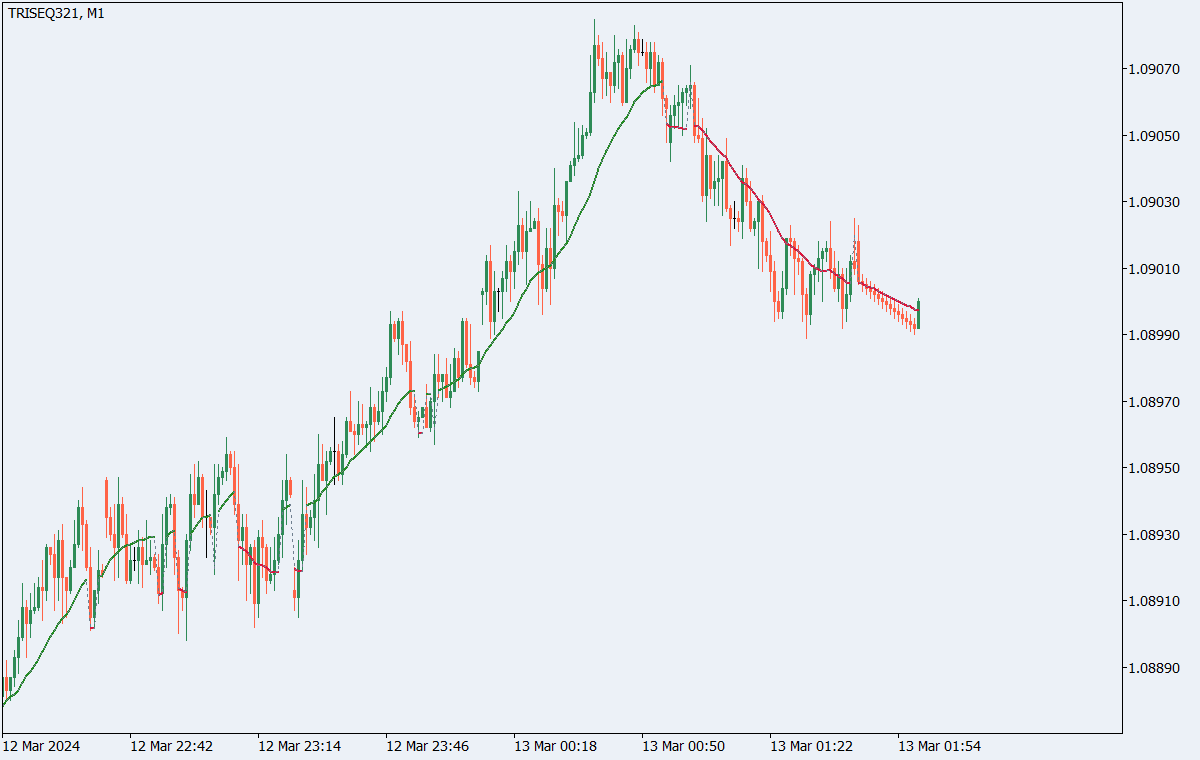
Examples with changed settings are in the manual.
Main settings
| Input | Default |
|---|---|
| Period | 25 |
| MA Method | Exponential(EMA) |
Usage specifications
First value
The judgment starts from the bar at the specified count. Nothing is drawn while the state is undetermined; the line appears once either the upper or lower state is established.
Forming bar and state switches
The state and position change with the current high, low and close. Because the gray line connects the points before and after a switch, a sudden step may be visible.
Rounding in flat sections
When the difference between the price and the average is extremely small, the state may change because of rounding in the calculation. Especially in sections where the same price continues with SMA or LWMA, do not judge price movement by the color alone.
Only 1 instance of the same product on 1 chart
This manual describes adding 1 instance of this product to 1 chart. To compare different settings, use separate charts.
For on-screen display only
This product shows calculation results through plot buffers and does not place trade orders. It does not guarantee profit or future price movement.
Full manual
How to read the display, the settings, installation and what to check when something goes wrong, on one page. The product is in preparation for release; the manual is published so that you can review its content.
- MT5 display and examples of changed settings
- How to read it in 30 seconds
- What it measures
- Situations for reading the display
- Steps for checking the display
- Installation and checking the package contents
- Settings
- Usage specifications
- Troubleshooting and usage notes
- Technical information and specification details