Indicator Pair Signal Arrows
Selects one or two indicators from nine and records with arrows the places where conditions in the same direction agree on the same bar.
Coming soon · MT5 only · no licence file needed
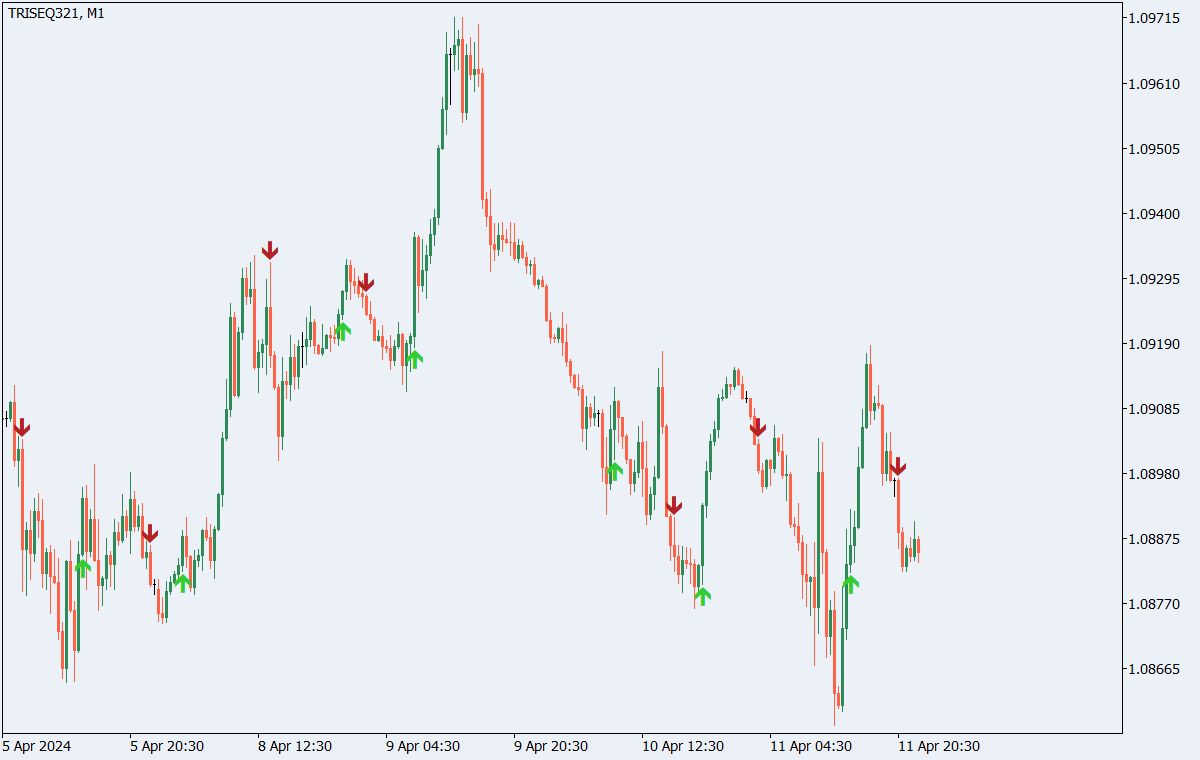
Examples with changed settings are in the manual.
Main settings
| Input | Default |
|---|---|
| Indicator 1 | MACD |
| Indicator 2 (None = Indicator 1 alone) | Moving Average |
| Price (MA, MACD, OsMA, RSI, CCI, Bands) | Close |
| MA Period | 5 |
| MA Method | EMA |
| MA Slope Threshold (points) | 10 |
| MACD / OsMA Fast EMA | 12 |
| MACD / OsMA Slow EMA | 26 |
| MACD / OsMA Signal SMA | 9 |
| OsMA Signal Line SMA | 9 |
| Stochastic %K Period | 8 |
| Stochastic %D Period | 3 |
| Stochastic Slowing | 3 |
| Stochastic Price Field | Low/High |
| RSI Period | 8 |
| RSI Signal SMA | 5 |
| CCI Period | 14 |
| RVI Period | 10 |
| ADX Period | 14 |
| ADX Level (signal below it) | 25 |
| Bands Period | 20 |
| Bands Deviation | 2 |
| Closed Bars Only | true |
| Show Trilogy brand and QR code | true |
| Brand position (chart corner) | Lower left |
| Brand horizontal offset (pixels) | 10 |
| Brand vertical offset (pixels) | 10 |
Usage specifications
Display only
There are no functions for automatic orders, exits, emails, sounds or alerts. Arrows are not trading instructions.
Closed bars and recalculation
Calculates every time in order from the past and does not read later bars. Adding to or correcting the history or changing settings can also change past results. Distinguish this from changes on the unclosed bar.
Differences in calculation method
Even with the same name as a standard indicator or another product, the arrows do not match if the starting value of the average, the signal line or the handling of equal values differs. An exact match is not assumed.
Brand
Displays Produced by Trilogy Inc. and a QR code to https://www.trgy.co.jp/. There is no account authentication. Following the background color in white/black is a function of the brand text and does not change the arrow colors.
For on-screen display only
The display is a record of calculation results. It does not direct trading decisions and does not guarantee future price movements.
Full manual
How to read the display, the settings, installation and what to check when something goes wrong, on one page. The product is in preparation for release; the manual is published so that you can review its content.
- MT5 display and examples of changed settings
- How to read it in 30 seconds
- What it measures
- Situations for reading the display
- Steps for checking the display
- Installation and checking the package contents
- Settings
- Usage specifications
- Troubleshooting and usage notes
- Technical information and specification details