Higher Timeframe Candles
Groups the bars of the current chart and overlays the open, high, low and close of a longer time span.
Coming soon · MT5 only · no licence file needed
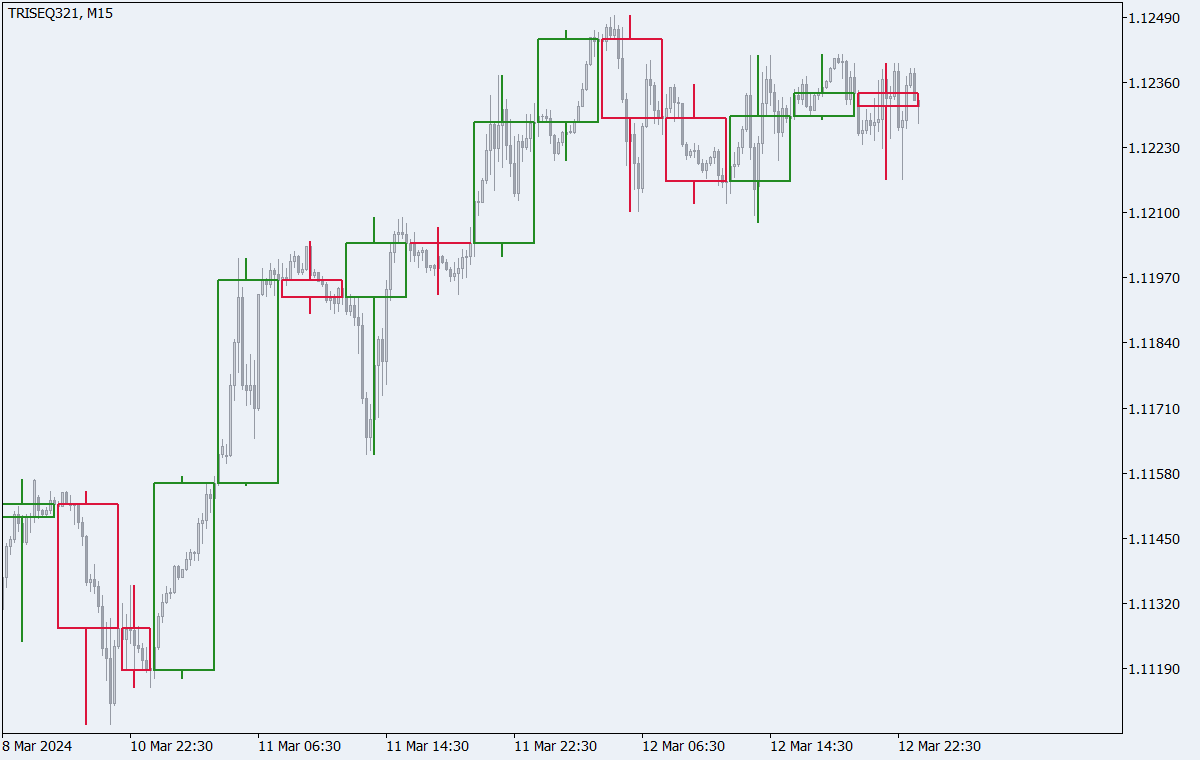
Examples with changed settings are in the manual.
Main settings
| Input | Default |
|---|---|
| Candle Length (hours) | 4 hours |
| Boundary Shift (hours) | 0 |
| Candles to Draw | 200 |
| Up Candle Color | ForestGreen |
| Down Candle Color | Crimson |
| Doji Color | Gray |
| Line Width | 2 |
| Fill Body | false |
Usage specifications
Server time and daylight saving time
Boundaries are fixed to server time and are not automatically adjusted for daylight saving time. If the server's time offset changes, the boundaries as seen in Japan time change.
Omitting the first section of history
Because the start of the history may be in the middle of a section, the oldest section is not drawn. If there is only one section's worth of history, nothing is drawn.
Avoid duplicates with the same conditions
Instances with the same length and shift may interfere with each other's display. Compare different settings on separate charts as well.
Updates and changes in history
The section in progress is redrawn as the price updates. On a new bar or a change in history, all sections are recalculated, so past displays may also change according to the history.
Only 1 instance of the same product on 1 chart
This manual describes adding 1 instance of this product to 1 chart. To compare different settings, use separate charts.
For on-screen display only
It draws shapes and text on the chart. There is no plot buffer for retrieving calculated values. It does not place trade orders or issue alerts. It does not guarantee profit or market direction.
Full manual
How to read the display, the settings, installation and what to check when something goes wrong, on one page. The product is in preparation for release; the manual is published so that you can review its content.
- MT5 display and examples of changed settings
- How to read it in 30 seconds
- What it measures
- Situations for reading the display
- Steps for checking the display
- Installation and checking the package contents
- Settings
- Usage specifications
- Troubleshooting and usage notes
- Technical information and specification details