Fractal Supply Demand Zones
Confirms peaks and troughs with the bars on each side and builds zones according to the range. It is for reading two price zones above and below and changes of state from touches and breaks.
Coming soon · MT5 only · no licence file needed
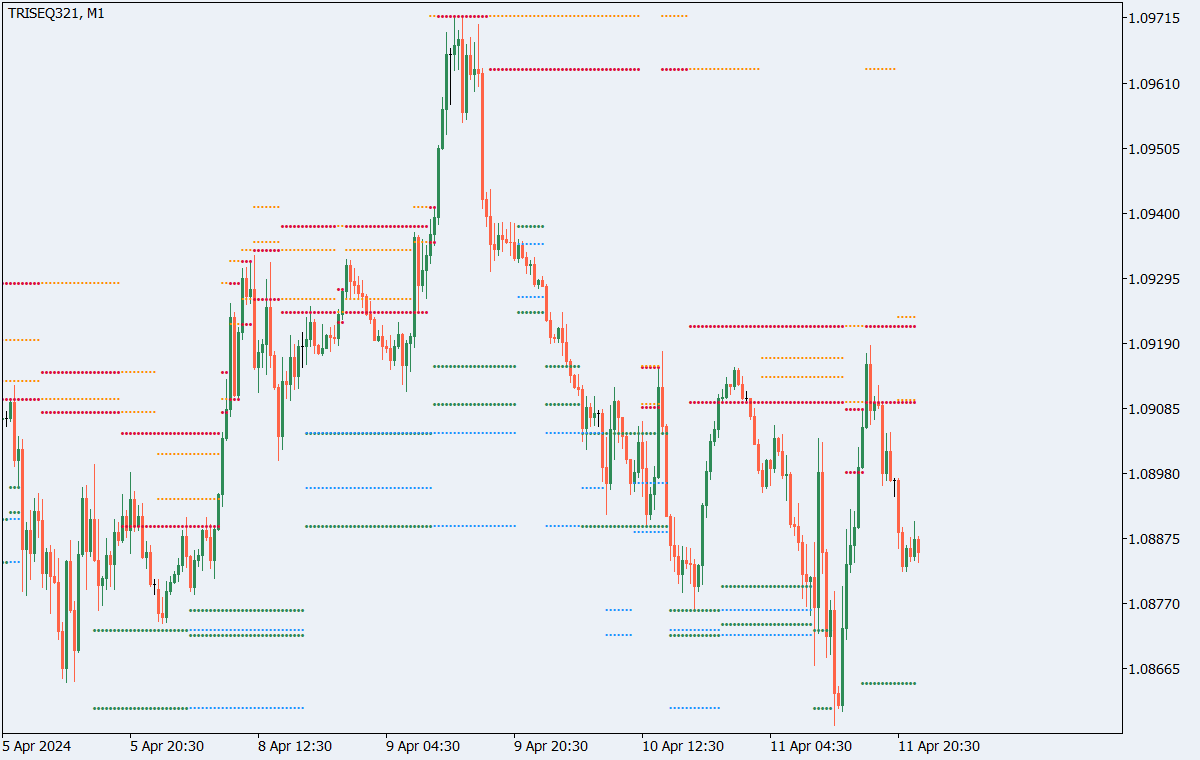
Examples with changed settings are in the manual.
Main settings
| Input | Default |
|---|---|
| Fast Fractal Bars On Each Side (1 to 50) | 7 |
| Slow Fractal Bars On Each Side (2 to 100, more than fast) | 15 |
| Zone Fuzz Factor (0.01 to 10) | 0.75 |
| Extend Zones | true |
| Zone Life (bars, 50 to 10000) | 1000 |
| Show Weak Zones | true |
| Show Untested Zones | true |
| Show Turncoat Zones | false |
| Closed Bars Only | true |
| Show Trilogy brand and QR code | true |
| Brand position (chart corner) | Lower left |
| Brand horizontal offset (pixels) | 10 |
| Brand vertical offset (pixels) | 10 |
Usage specifications
Timing of drawing and saving
By default only closed bars are processed. With normal updates using the same inputs and the same history, past output values are not changed. History additions or settings changes may recalculate the whole.
Roles and upper/lower classification
A zone that contains the close is classified as upper if its role is resistance, and lower if its role is support. An upper zone is not necessarily entirely above the close.
Limits and merging
Zones are not merged. Up to 300 zones are held internally, and when full, new zones are not added. Existing zones are not automatically pushed out from the oldest.
Zones broken before confirmation
For a new zone, breaks from the bar after the center up to the confirming bar are also checked. If it is broken as a weak zone in that interval, it may not appear on the screen.
For on-screen display only
The display is a record of calculation results. It does not direct trading decisions and does not guarantee future price movements.
Full manual
How to read the display, the settings, installation and what to check when something goes wrong, on one page. The product is in preparation for release; the manual is published so that you can review its content.
- MT5 display and examples of changed settings
- How to read it in 30 seconds
- What it measures
- Situations for reading the display
- Steps for checking the display
- Installation and checking the package contents
- Settings
- Usage specifications
- Troubleshooting and usage notes
- Technical information and specification details