Dual Trigger Channel
Overlays two lines on the price chart. Each is updated only when the current close meets a condition relative to the previous bar's line and close; otherwise it keeps the previous value.
Coming soon · MT5 only · no licence file needed
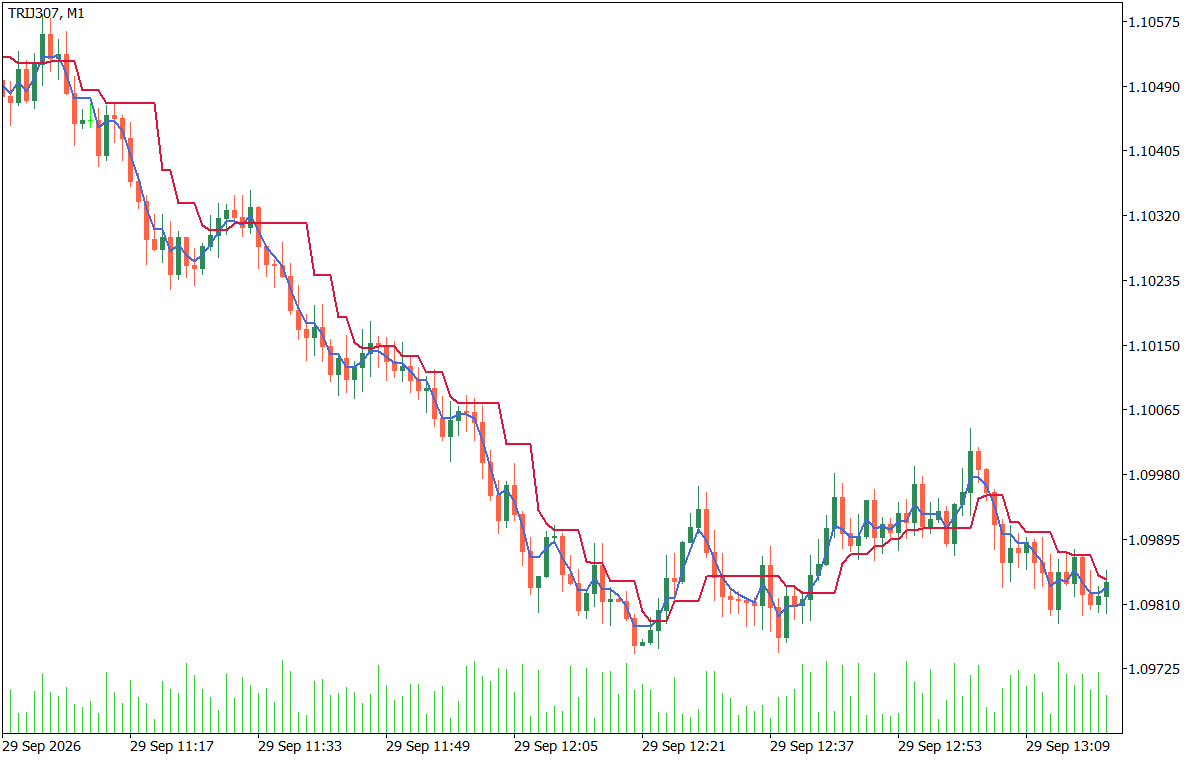
Examples with changed settings are in the manual.
Main settings
| Input | Default |
|---|---|
| Tracking divisor | 2.0 |
Usage specifications
Where the display starts
The oldest bar is used only as the starting point of the 2 lines, and no value is shown for it. Display starts from the 2nd bar.
Effect of where the history starts
The starting point is the close of the oldest bar. If the history before the displayed range increases or decreases, the starting point changes, and the subsequent values may change.
Unit
Same unit as the price. Both of the 2 lines are placed on the vertical axis of the price chart.
Bars where a line stops
On bars that do not meet the condition, that line stays at the same value as the previous bar. Appearing flat is normal behavior.
Handling of the current bar
On the current bar, the condition result changes each time the close moves. When the bar closes, its value is also fixed.
Additions and corrections to history
If the data provider adds or corrects past bars, recalculation runs from that range.
Full manual
How to read the display, the settings, installation and what to check when something goes wrong, on one page. The product is in preparation for release; the manual is published so that you can review its content.