Dual Midline Agreement Cloud
Compares the midpoints of highs and lows over different periods and shows a cloud with width only on bars where both move in the same direction.
Coming soon · MT5 only · no licence file needed
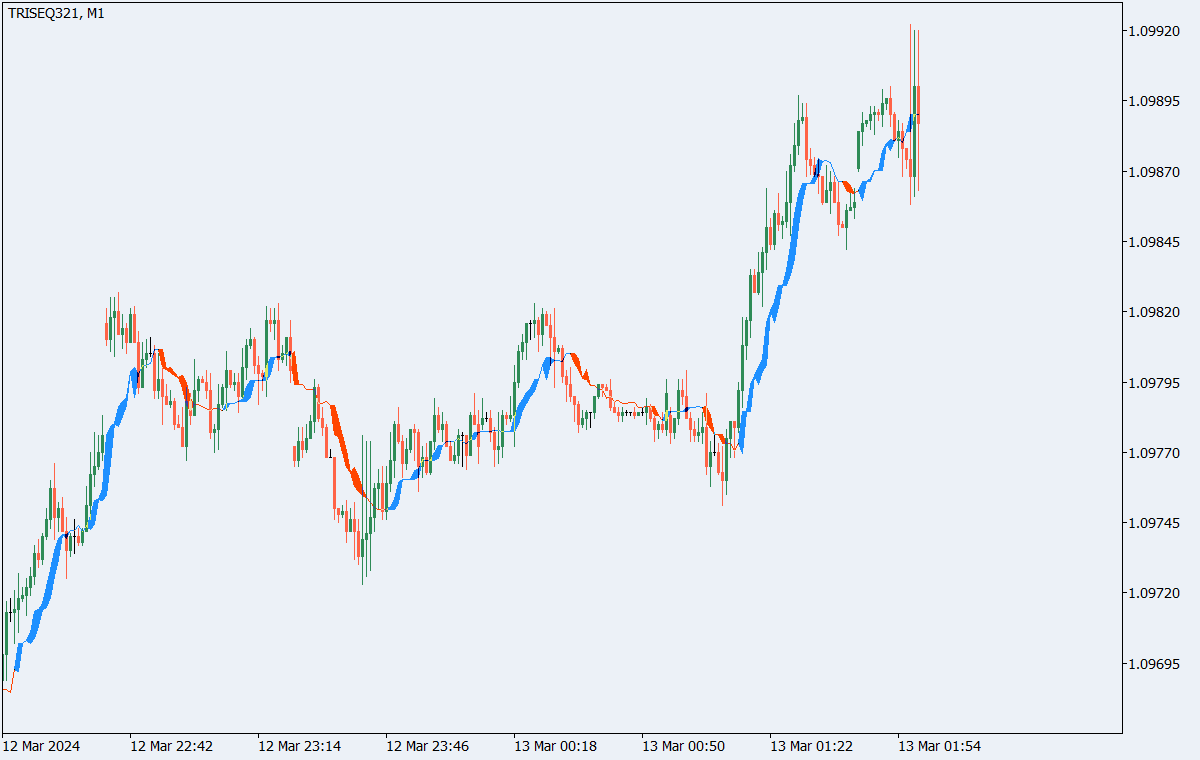
Examples with changed settings are in the manual.
Main settings
| Input | Default |
|---|---|
| Fast Midline Bars | 7 |
| Fast Delay Bars | 2 |
| Slow Midline Bars | 13 |
| Slow Delay Bars | 1 |
Usage specifications
Number of bars needed for preparation
It needs the larger of the bar counts obtained by adding each Delay to each period. With the defaults, it can be calculated from bar 14.
A thin line remains
On bars with zero width, the 2 drawing values also hold the same value, and a thin line may be visible in MT5. A bar without a cloud is not necessarily completely blank.
Latest bar and history
The forming bar may change with price updates. Past calculation results may also change with history additions or corrections or settings changes.
MT5 only
No account authentication or license file is required. There are no sound, notification or order functions. An MT4 version is not included.
For on-screen display only
The display is a record of calculation results. It does not direct trading decisions and does not guarantee future price movements.
Full manual
How to read the display, the settings, installation and what to check when something goes wrong, on one page. The product is in preparation for release; the manual is published so that you can review its content.
- MT5 display and examples of changed settings
- How to read it in 30 seconds
- What it measures
- Situations for reading the display
- Steps for checking the display
- Installation and checking the package contents
- Settings
- Usage specifications
- Troubleshooting and usage notes
- Technical information and specification details