Donchian Channels Plus
Compares recent price extremes with upper and lower lines for up to three periods.
Coming soon · MT5 only · no licence file needed
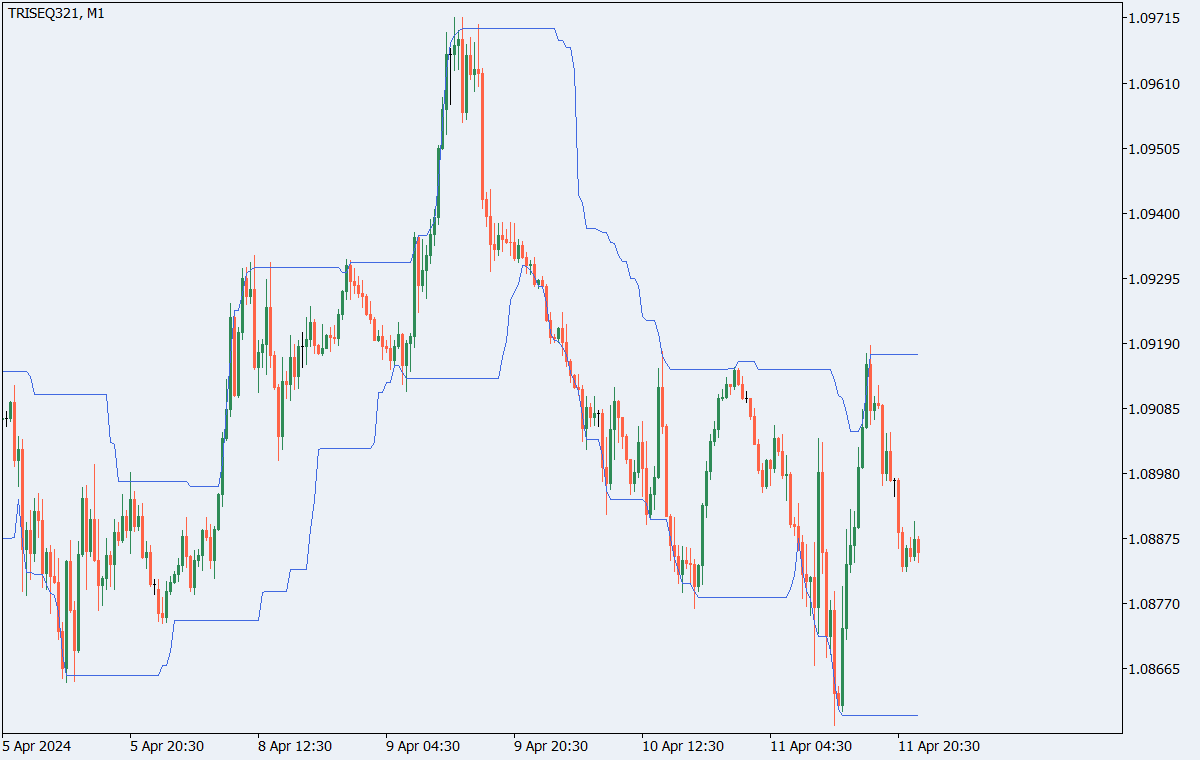
Examples with changed settings are in the manual.
Main settings
| Input | Default |
|---|---|
| Period 1 | 24 |
| Period 2 (0 = off) | 0 |
| Period 3 (0 = off) | 0 |
| Extremes | Mean of Opens and Highs/Lows |
| Margin (% of the width, negative = outward) | 0 |
| Offset (points, outward) | 0 |
Usage specifications
The latest bar is forming
The current bar is included in the calculation. The latest displayed values change with price updates.
Calculated on the chart timeframe
There is no function to specify a higher timeframe. Changing the timeframe or the history range also changes what is calculated.
Start of display
Each line is shown once the number of bars for its period is available. Even if periods 2 and 3 are enabled, those lines do not appear if the history is insufficient.
For on-screen display only
The display is a record of calculation results. It does not direct trading decisions and does not guarantee future price movements.
Items not yet verified
The inputs and calculations in this document are based on the product's implementation. The actual display in the Data Window and the input screen, and how it looks during long operation on actual symbols or with long history, have not been verified.
Full manual
How to read the display, the settings, installation and what to check when something goes wrong, on one page. The product is in preparation for release; the manual is published so that you can review its content.
- MT5 display and examples of changed settings
- How to read it in 30 seconds
- What it measures
- Situations for reading the display
- Steps for checking the display
- Installation and checking the package contents
- Settings
- Usage specifications
- Troubleshooting and usage notes
- Technical information and specification details