Day Anchored Oscillator
Uses the number of bars counted from the first bar of the server date as the calculation period of each bar.
Coming soon · MT5 only · no licence file needed
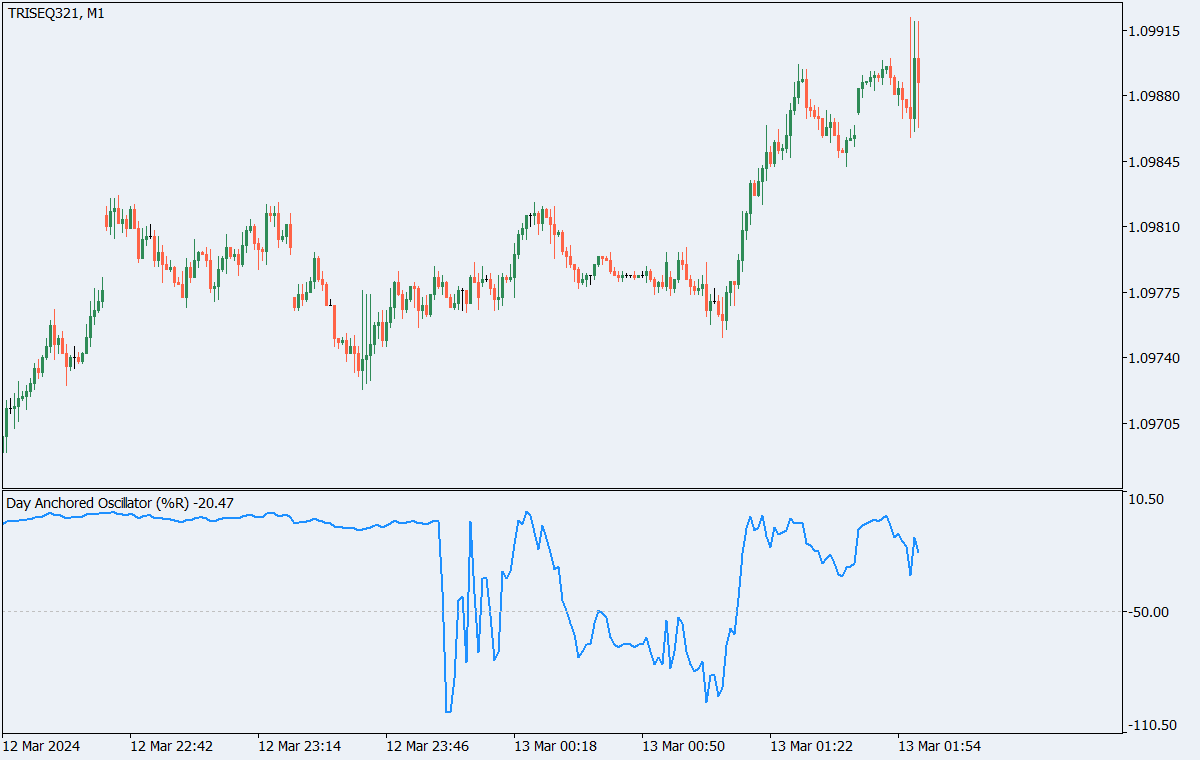
Examples with changed settings are in the manual.
Main settings
| Input | Default |
|---|---|
| Oscillator Base | %R |
Usage specifications
Exception for the oldest day
If the history starts partway through a day, the oldest day is counted from the first loaded bar rather than from the actual start of the day. The %R, CCI and DeMarker values for that day may differ from those with a longer history.
Effect on later days
From the next day, %R, CCI and DeMarker are calculated with the required bars within the day. RSI depends on where the smoothing starts, so the effect remains on later days as well. This does not mean that new bars being added later in itself changes past values.
Forming bar
The latest value changes during the bar. There are no notifications or marks.
Short periods
At the beginning of the day the period is short, so values may lean toward the edges or change more easily. They do not necessarily always move widely.
Calculation load
RSI is designed to trace back through history for each period. With long history and short timeframes, the initial processing may take time, so use it within the range you need.
Only 1 instance of the same product on 1 chart
This manual describes adding 1 instance of this product to 1 chart. To compare different settings, use separate charts.
For on-screen display only
The display is a record of calculation results. It does not direct trading decisions and does not guarantee future price movements.
Full manual
How to read the display, the settings, installation and what to check when something goes wrong, on one page. The product is in preparation for release; the manual is published so that you can review its content.
- MT5 display and examples of changed settings
- How to read it in 30 seconds
- What it measures
- Situations for reading the display
- Steps for checking the display
- Installation and checking the package contents
- Settings
- Usage specifications
- Troubleshooting and usage notes
- Technical information and specification details