Daily Info Panel
Shows in the upper right the price, today's high-low range, the distance from the open, the average True Range of completed daily bars and the spread. Distances other than the price itself are in pips.
Coming soon · MT5 only · no licence file needed
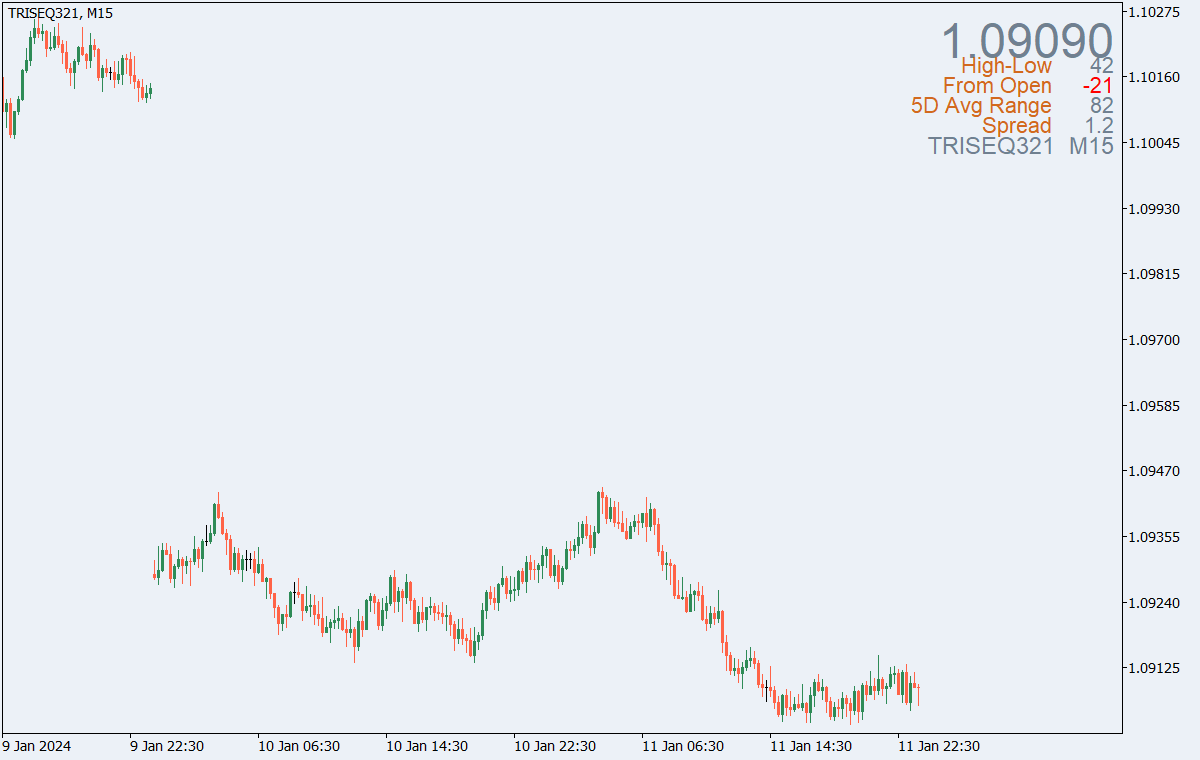
Examples with changed settings are in the manual.
Main settings
| Input | Default |
|---|---|
| Average Range Days | 5 |
| Commission Added to Spread (pips) | 0.0 |
| Top Offset (pixels) | 10 |
| Show Symbol | true |
| Show Timeframe | true |
| Label Color | Chocolate |
| Value Color | SlateGray |
| Up Color | ForestGreen |
| Down Color | Red |
Usage specifications
Dates and history
The current day follows the terminal's daily bar series. If updates of the daily bars and the chart are out of step, it waits for the update, and the earlier panel may remain.
Initial conditions for the average
If there are not N completed daily bars, “-” is shown. Even if there are N bars, high minus low is used for the first 1 bar that has no previous daily close. Once enough history is available, the value may change to one that includes gaps.
Definition of pip
This product's pip conversion is based on the number of decimal digits. For non-FX symbols and others it may differ from the common usage, so cross-check it with the symbol's point.
Only 1 instance of the same product on 1 chart
If you add the same product to the same chart more than once, the drawings overwrite each other, or deleting one also removes the display of the other. To use different settings at the same time, use separate charts.
For on-screen display only
It has no value buffers and shows its output as lines and text on the chart. It does not place trade orders or issue alerts. It does not guarantee profit or market direction.
Full manual
How to read the display, the settings, installation and what to check when something goes wrong, on one page. The product is in preparation for release; the manual is published so that you can review its content.