Close Break Swing
Confirms a top or bottom on the bar where the close breaks the opposite level, or where the waiting bar count and retracement are met. The mark's height is the held extreme price; its horizontal position is the confirming bar.
Coming soon · MT5 only · no licence file needed
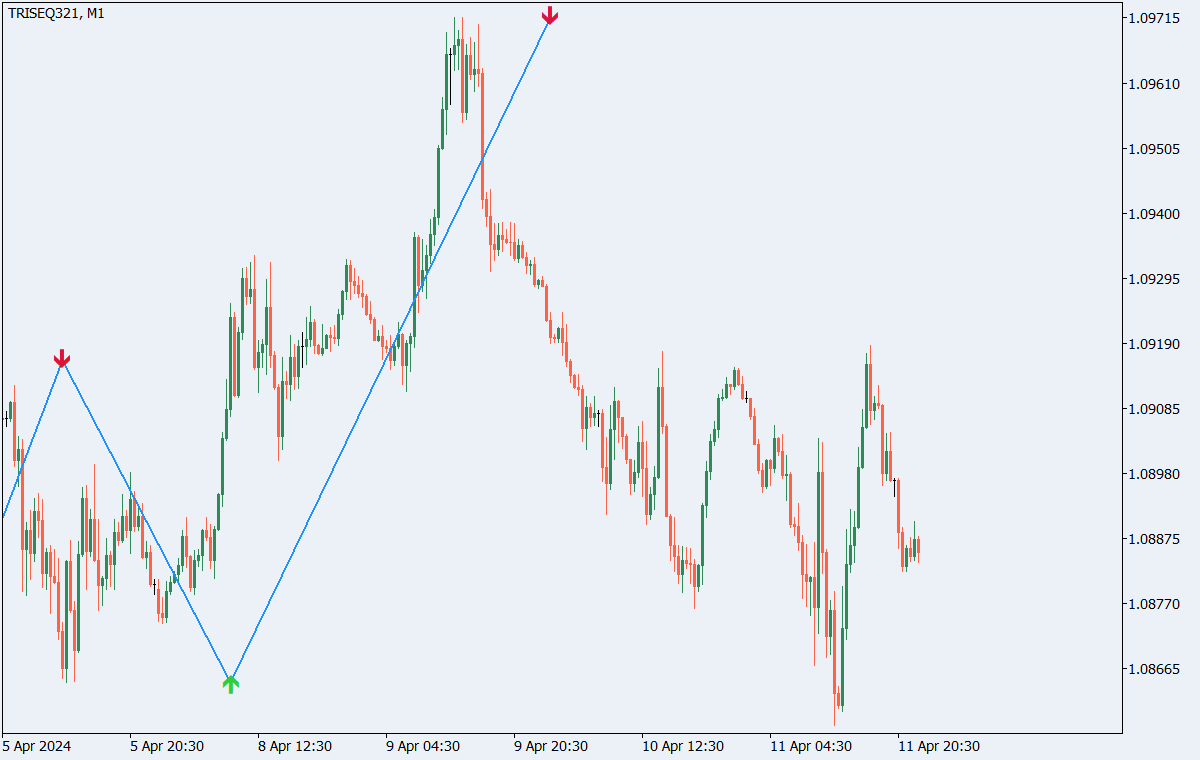
Examples with changed settings are in the manual.
Main settings
| Input | Default |
|---|---|
| Bars Without A New Extreme (1 to 500) | 12 |
| Minimum Size in Points (1 to 100000) | 500 |
| Closed Bars Only | true |
| Show Trilogy brand and QR code | true |
| Brand position (chart corner) | Lower left |
| Brand horizontal offset (pixels) | 10 |
| Brand vertical offset (pixels) | 10 |
Usage specifications
Confirmed dots and segments
When closed bars are added with the same history and settings, confirmed dots are not moved to the bar of a past extreme. However, the segment connecting dots is added only once the next dot appears. The segment cannot be read as having been visible from earlier.
Recalculation and the latest bar
Settings changes, adding older history or correcting history may change the whole result. With Closed Bars Only=false, marks on the forming bar appear and disappear.
Price and time
A mark may appear at a price away from the high/low of the confirming bar. It is not a price at which a trade could have been made on that bar, nor a record of execution.
Initial opposite-side level
Before the first turn, the opposite-side high or low of the first bar is used. A previously confirmed swing point does not necessarily exist.
Functions not included
There is no line extending to an unconfirmed extreme, no Fibonacci, no pitchfork, and no notification or order function.
For on-screen display only
The display is a record of calculation results. It does not direct trading decisions and does not guarantee future price movements.
Full manual
How to read the display, the settings, installation and what to check when something goes wrong, on one page. The product is in preparation for release; the manual is published so that you can review its content.
- MT5 display and examples of changed settings
- How to read it in 30 seconds
- What it measures
- Situations for reading the display
- Steps for checking the display
- Installation and checking the package contents
- Settings
- Usage specifications
- Troubleshooting and usage notes
- Technical information and specification details