CCI Run Histogram
Combines CCIs of different periods and the run state above or below 0 in one window. The bar colour and the zero-line colour represent separate calculations.
Coming soon · MT5 only · no licence file needed
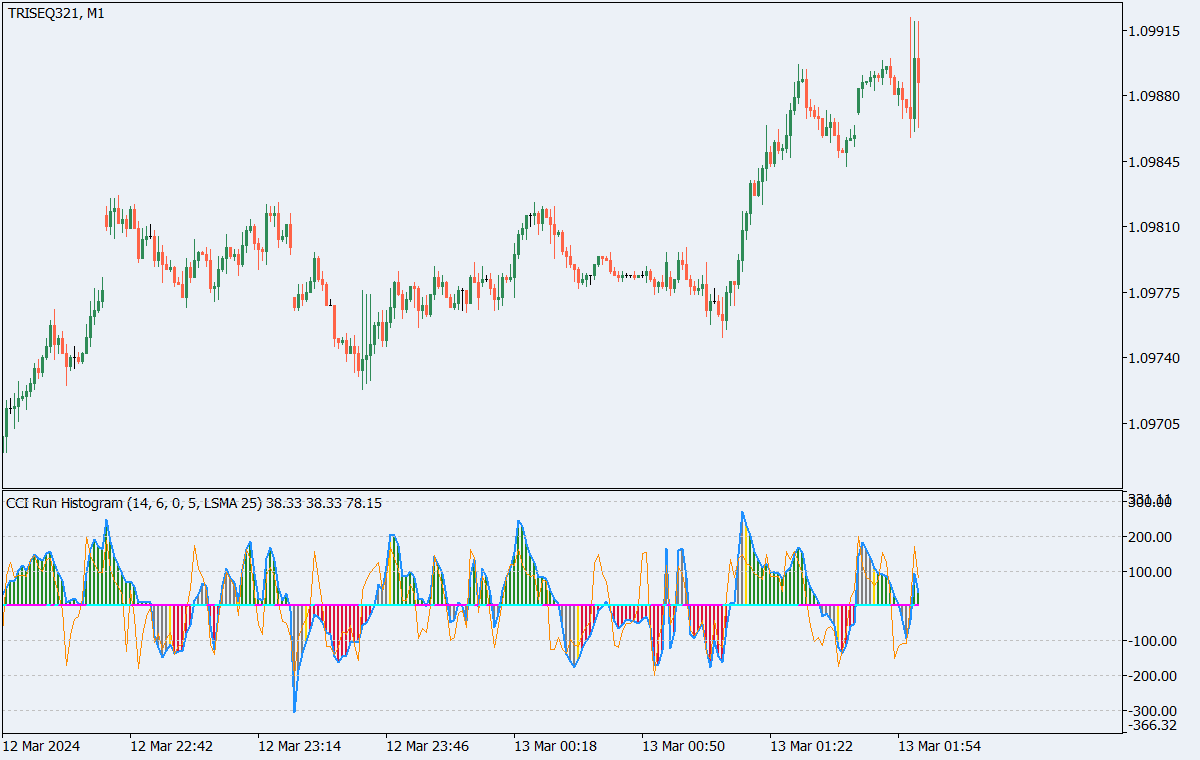
Examples with changed settings are in the manual.
Main settings
| Input | Default |
|---|---|
| Slow CCI Period | 14 |
| Fast CCI Period | 6 |
| Extra CCI Period (0 = off) | 0 |
| Run Bars | 5 |
| Zero Line Reference | LSMA |
| LSMA Period | 25 |
| EMA Period | 34 |
| EMA Applied Price | Close |
| Alert on Closed-Bar Level Cross | false |
| Upper Alert Level | 0 |
| Lower Alert Level | 0 |
Usage specifications
Timing of notifications
On the first price update of a new bar, the closed bar 1 before is judged. The judgment is made only 1 time, when the time of the latest closed bar advances. When the market is closed and in similar cases, the clock alone cannot guarantee the notification time.
Right after attaching and resetting
Right after attaching or resetting, it only records the time and does not notify. Even if several bars advance because of reconnection or similar events, it does not notify every bar passed in order. When history is synchronized late, notifications with past times may appear. The time in the message is the start time of the target bar.
Notification conditions and bar color are separate
Notifications are determined by Slow crossing the level and the position of Fast. Changing to gold, green or red is not itself a notification condition. A closed bar that is merely equal to the level is not notified.
Difference from the MT5 standard CCI
It uses the same formula as CCI of the typical price, but this does not mean all values are identical. If the typical price is the same throughout the period, this product shows 0. The standard CCI may show a different value because of rounding.
Note on period 2
Even when the typical prices of 2 bars are very close, the rounding error is divided by a small mean deviation, so the difference from the standard CCI can become large. It is not necessarily the case that “only flat windows differ”. Also pay attention to the sign and color near 0.
The forming bar changes
On the latest bar, values and colors change with price updates. If the timeframe, the start of the history or past prices change, the recalculated values may also change.
Do not judge by 0.00 in the header alone
Even for a line that is not drawn because the required history is insufficient, 0.00 may appear in the separate window's header. Check whether the line is present together with the required number of bars. Values of lines hidden by input are not shown in the header either.
Keep unused inputs within range too
Periods of unselected methods and similar inputs are also subject to the input range check. If out of range, it does not start, and a 1-line reason in English appears in the Experts tab.
Only 1 instance of the same product on 1 chart
This manual describes adding 1 instance of this product to 1 chart. To compare different settings, use separate charts.
For on-screen display only
This product is for displaying calculation results on the screen. It does not guarantee future price movement.
Full manual
How to read the display, the settings, installation and what to check when something goes wrong, on one page. The product is in preparation for release; the manual is published so that you can review its content.
- MT5 display and examples of changed settings
- How to read it in 30 seconds
- What it measures
- Situations for reading the display
- Steps for checking the display
- Installation and checking the package contents
- Settings
- Usage specifications
- Troubleshooting and usage notes
- Technical information and specification details