Candle Pattern Marks
Classifies the shapes of one to three candles according to this product's definitions. Shows the matched pattern with up or down arrows or a doji dot; if several match on the same bar, only one is shown by priority.
Coming soon · MT5 only · no licence file needed
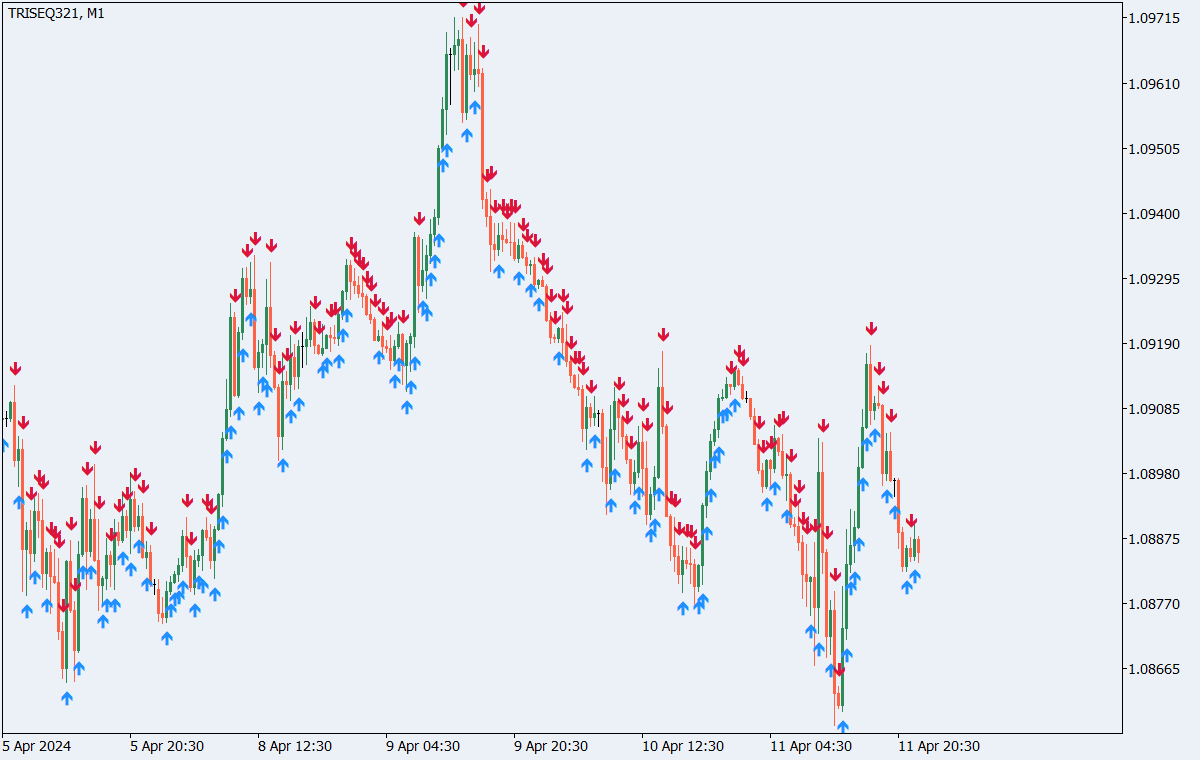
Examples with changed settings are in the manual.
Main settings
| Input | Default |
|---|---|
| Evening and Morning Stars | true |
| Three Outside Down and Up | true |
| Three Inside Down and Up | true |
| Three Black Crows and White Soldiers | true |
| Engulfing | true |
| Harami | true |
| Dark Cloud Cover and Piercing | true |
| Shooting Star and Hammer | true |
| Divergent Bars | false |
| Doji | false |
| Long Body Percent of Range (1 to 99) | 60 |
| Star Middle Range per Body (1 to 20) | 3.0 |
| Hammer Wick per Body and Other Wick (1 to 20) | 2.0 |
| Hammer Extreme Beyond Previous Bars (0 to 50) | 3 |
| Doji Body Percent of Range (0 exact, to 50) | 10 |
| Closed Bars Only | true |
| Show Trilogy brand and QR code | true |
| Brand position (chart corner) | Lower left |
| Brand horizontal offset (pixels) | 10 |
| Brand vertical offset (pixels) | 10 |
Usage specifications
Forming bar
With Closed Bars Only=true, the latest forming bar is blank. If set to false, the shape, color and marks of that bar change until it closes.
History and recalculation
Settings changes, additions to or corrections of the history, and reloading redo the calculation. This is not a guarantee that "closed bars never change under any circumstances".
Brand display
A common display is shared among products of the same medium on the same chart. If several are loaded, the settings of the registration that enabled the display first are used, so changing one may not change the appearance.
For on-screen display only
This product does not place orders or trade automatically. It does not guarantee accuracy as a trading signal or profits.
Full manual
How to read the display, the settings, installation and what to check when something goes wrong, on one page. The product is in preparation for release; the manual is published so that you can review its content.