Candle Part Averages
Divides each candle into range, body, upper wick and lower wick, and overlays the average of each in points in a sub-window. The total of the wicks is also shown as one line.
Coming soon · MT5 only · no licence file needed
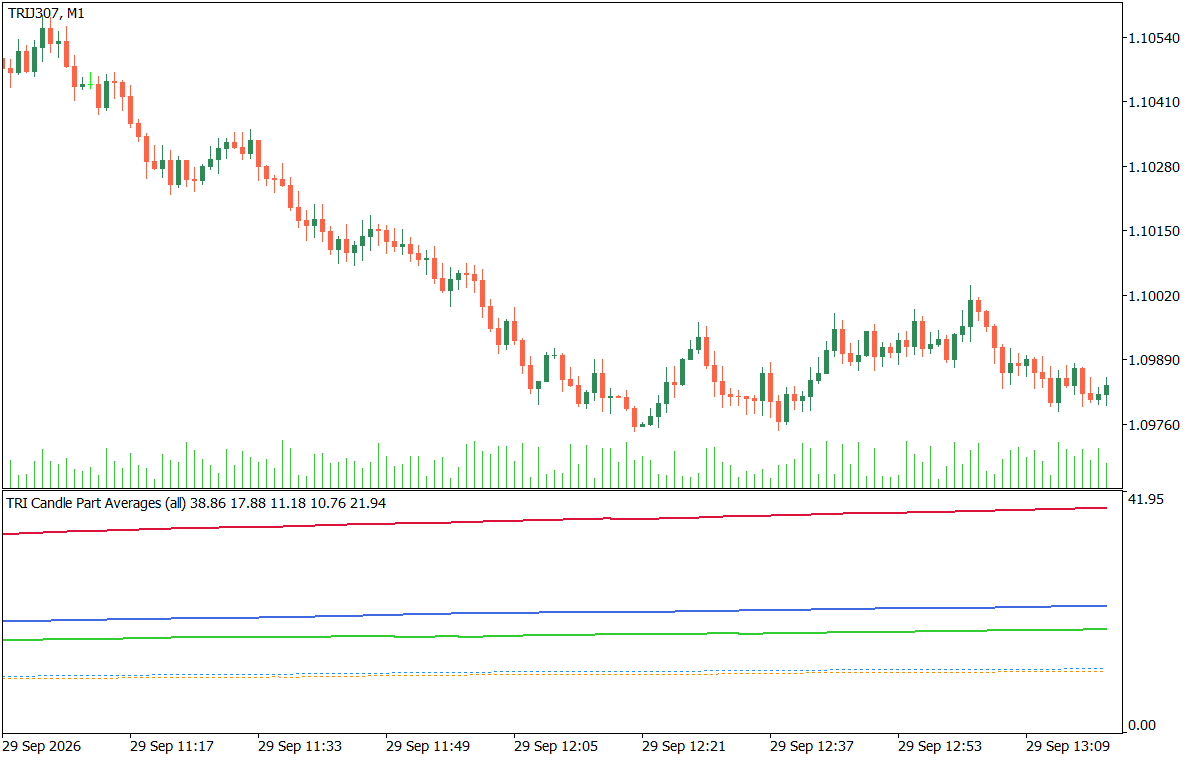
Examples with changed settings are in the manual.
Main settings
| Input | Default |
|---|---|
| Bars to average | 0 (all history) |
Usage specifications
Where the display starts
If the bar count is 0, display starts from the oldest bar. If it is 1 or more, display starts from the bar after 1 fewer bars than that count have passed.
Effect of where the history starts
With a bar count of 0, the starting point is the oldest bar of the history loaded in the terminal. If the starting point changes because history is added or deleted, the values also change. With a specified bar count, history before the specified window is not included in the calculation.
Handling of bars with 0
Bars where the length of that part is 0 are not counted in the denominator of that part's average. For example, bars without a wick do not lower the wick average.
Unit
The unit is point. For a currency pair quoted with 5 digits, 10 point corresponds to 1.0 pips. The meaning of point changes with the symbol.
Value range
All lines are 0 or greater, but the range average can be lower than the body average. With 2 bars of range 10 and 1 and body 10 and 0, the range average is 5.5 and the body average is 10. This is because 0 is excluded per component and the denominators differ; it is not a defect.
Handling of the current bar
The current bar is recalculated when the high, low or close is updated. When the bar closes, its value is also fixed.
Full manual
How to read the display, the settings, installation and what to check when something goes wrong, on one page. The product is in preparation for release; the manual is published so that you can review its content.