Block Open Arrows
Compares the high and low of the last B bars with those of the B bars before them, and records with arrows the condition where the target bar's open is outside the opposite side of the earlier group. It checks high, low and open conditions but does not judge the time order of events.
Coming soon · MT5 only · no licence file needed
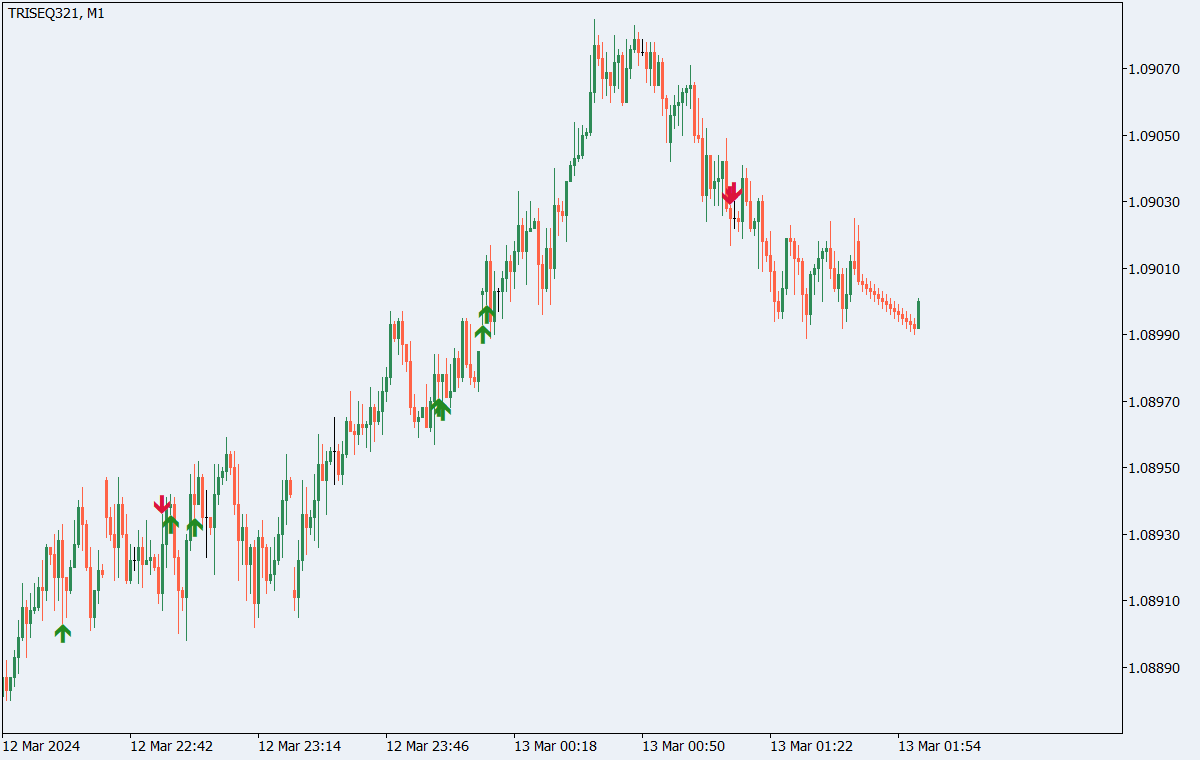
Examples with changed settings are in the manual.
Main settings
| Input | Default |
|---|---|
| Block Bars | 3 |
| Closed Bars Only | true |
| Arrow Gap (pixels) | 8 |
Usage specifications
Starting bar
The judgment can be made from bar 2B counted from the oldest. With the default B = 3, it starts from the 6th bar. The latest bar follows the setting that limits judgment to closed bars.
Arrows on the forming bar
With false, the condition is also judged while the bar is forming. Under normal OHLC updates (open fixed, high moving upward, low moving downward), a condition once met is structured to remain met within the same bar. However, the arrow position moves with the high and low, and it is not guaranteed to stay unchanged through events such as history corrections.
Example with B = 1
A down arrow is the pattern where the bar opens below the previous bar's low and its high reaches above the previous bar's high. Where the close is does not matter. An up arrow is the opposite relationship.
Only 1 instance of the same product on 1 chart
This manual describes adding 1 instance of this product to 1 chart. To compare different settings, use separate charts.
For on-screen display only
This product shows calculation results through plot buffers and does not place trade orders. It does not guarantee profit or future price movement.
Full manual
How to read the display, the settings, installation and what to check when something goes wrong, on one page. The product is in preparation for release; the manual is published so that you can review its content.
- MT5 display and examples of changed settings
- How to read it in 30 seconds
- What it measures
- Situations for reading the display
- Steps for checking the display
- Installation and checking the package contents
- Settings
- Usage specifications
- Troubleshooting and usage notes
- Technical information and specification details