Base Distance Levels
Shows up to eight pairs of lines at distances set in points from a base such as a moving average or the price of the previous period.
Coming soon · MT5 only · no licence file needed
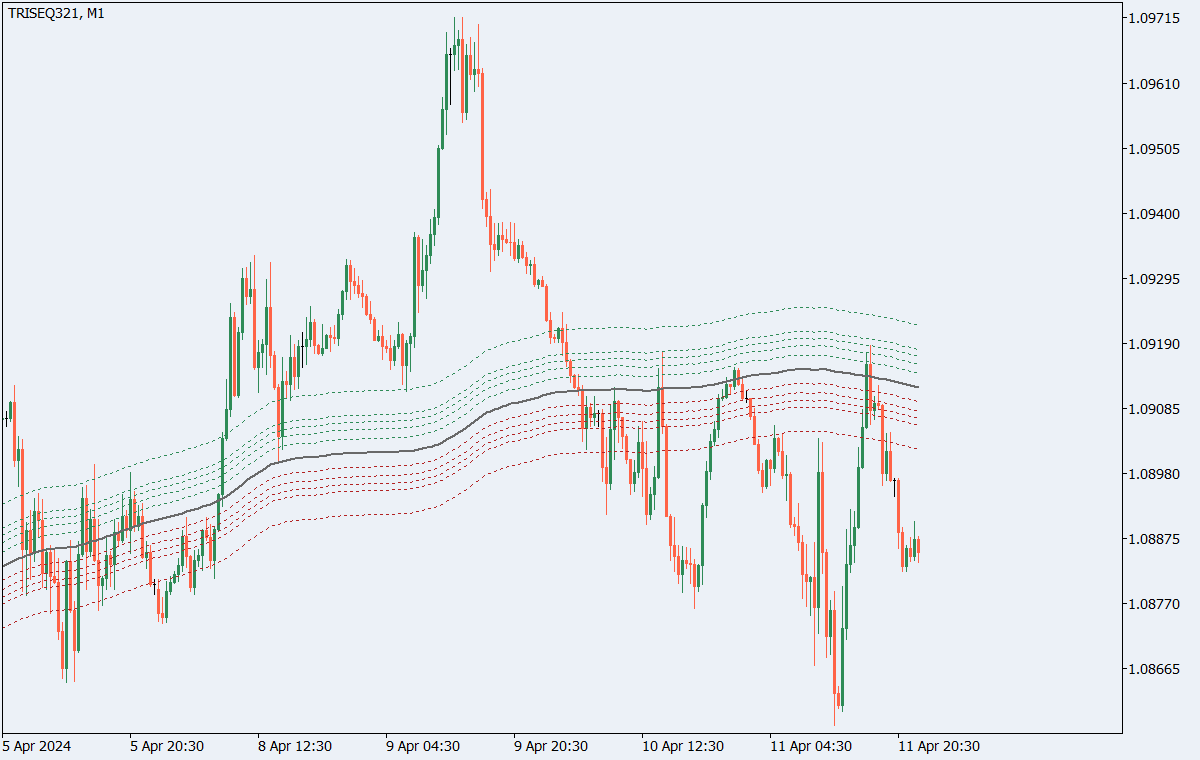
Examples with changed settings are in the manual.
Main settings
| Input | Default |
|---|---|
| Base | Moving Average |
| MA Period | 157 |
| MA Method | SMA |
| MA of the Previous Bar | false |
| Session Start Hour | 0 |
| Session Start Minute | 0 |
| Distance 1 (points, 0 = off) | 23 |
| Distance 2 (points, 0 = off) | 38 |
| Distance 3 (points, 0 = off) | 50 |
| Distance 4 (points, 0 = off) | 61 |
| Distance 5 (points, 0 = off) | 100 |
| Distance 6 (points, 0 = off) | 0 |
| Distance 7 (points, 0 = off) | 0 |
| Distance 8 (points, 0 = off) | 0 |
Usage specifications
Preparing the base
SMA, SMMA and LWMA need the bars for the period, and EMA starts from the oldest price. Using the previous bar requires 1 more bar. Session Open is shown from period 2, and the previous period's close and pivot from period 3.
Handling of periods
Day boundaries use the terminal server time. If the start time is noon or later, the time after that start is treated as belonging to the next business day. Saturdays and Sundays do not start a new period and are merged into the preceding period. The partial first period is not used as a completed reference period. Bases other than MA require D1 or lower; on D1 the start is 00:00.
Use it as a separate product
Unlike tools that place objects at prices, it draws lines that hold a calculated value on each bar. It does not replace the files of the older product.
Latest bar and history
The forming bar may change with price updates. Past calculation results may also change with history additions or corrections or settings changes.
MT5 only
No account authentication or license file is required. There are no sound, notification or order functions. An MT4 version is not included.
For on-screen display only
The display is a record of calculation results. It does not direct trading decisions and does not guarantee future price movements.
Full manual
How to read the display, the settings, installation and what to check when something goes wrong, on one page. The product is in preparation for release; the manual is published so that you can review its content.
- MT5 display and examples of changed settings
- How to read it in 30 seconds
- What it measures
- Situations for reading the display
- Steps for checking the display
- Installation and checking the package contents
- Settings
- Usage specifications
- Troubleshooting and usage notes
- Technical information and specification details