ATR Stops
Draws one trailing line on the price chart whose distance changes with the size of price movement (ATR). When rising it appears blue below price, when falling red above price, and it moves to the other side when the direction changes.
Coming soon · MT5 only · no licence file needed
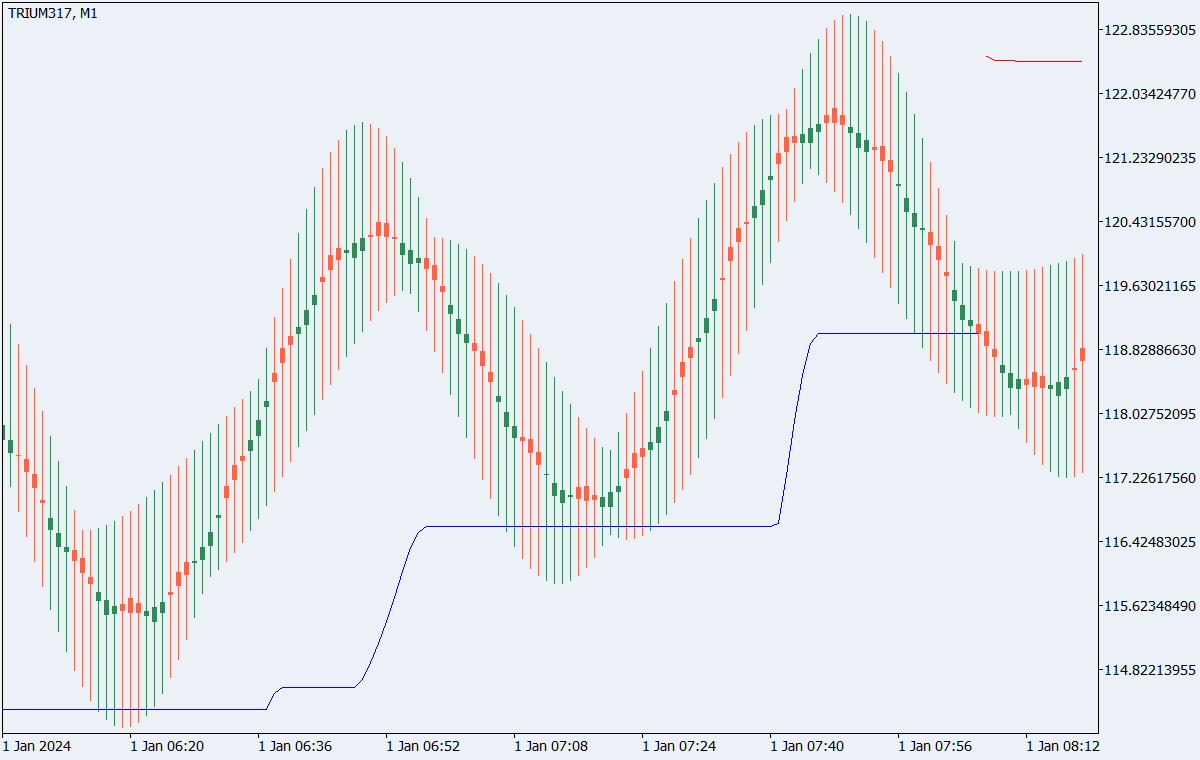
Examples with changed settings are in the manual.
Main settings
| Input | Default |
|---|---|
| Length (bars) | 10 |
| ATR Period (bars) | 5 |
| ATR Multiplier | 2.5 |
Usage specifications
Display location
Price chart. 2 plots are drawn (blue and red), and each bar has a value in only one of them.
Start of drawing
On the oldest side of the chart, Length bars are not drawn. This is because there are not enough bars for the window.
Line overlap
Blue and red never appear on the same bar at the same time.
Values that cannot be set
When Length or ATR Period is less than 1 or greater than 100000, the settings are not accepted and the indicator is not added to the chart.
Full manual
How to read the display, the settings, installation and what to check when something goes wrong, on one page. The product is in preparation for release; the manual is published so that you can review its content.