AO Color Histogram
Colours the difference between a fast and a slow average by rise or fall and by whether it is above or below 0. The default values use the same formula as the Awesome Oscillator; the method, price, periods and an extra averaging of each average can be selected.
Coming soon · MT5 only · no licence file needed
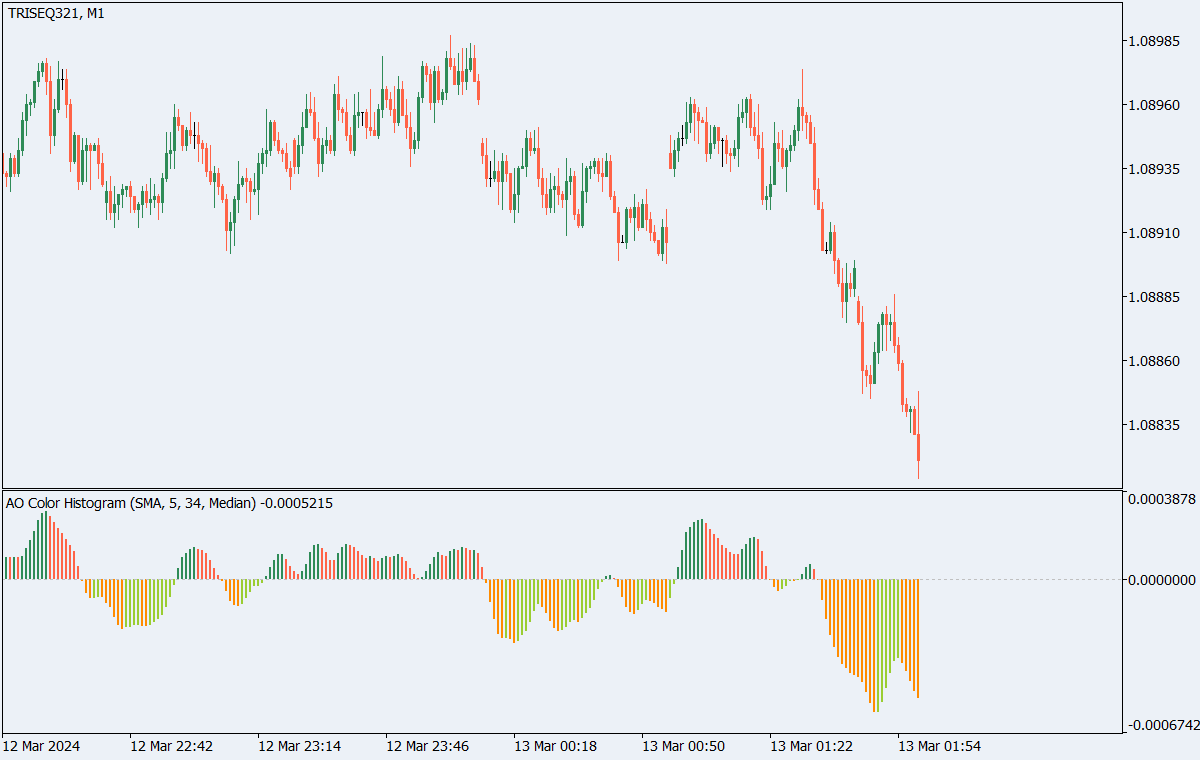
Examples with changed settings are in the manual.
Main settings
| Input | Default |
|---|---|
| Fast Period | 5 |
| Slow Period | 34 |
| MA Method | Simple(SMA) |
| Applied Price | Median (High + Low) ÷ 2 |
| Average Twice | false |
| Colours | 4 colours (rise/fall and above/below 0) |
Usage specifications
Color for equal values
If the value is the same as the previous one, the previous increase/decrease direction is kept. At the start of drawing there is nothing to compare with, so it is treated as an increase.
Start of display
EMA starts from the 1st bar. Other methods start from bar Slow when applied 1 time, and from bar 2×Slow−1 when applied 2 times. The default is the 34th bar, and the published changed example is the 41st bar.
Notes near 0
Because of rounding, values very close to 0 may remain. Tiny changes in value or color do not indicate the strength of price movement.
Forming bar
The latest value and color change during the bar. It is also recalculated on changes in history or inputs. There is no notification function.
Only 1 instance of the same product on 1 chart
This manual describes adding 1 instance of this product to 1 chart. To compare different settings, use separate charts.
For on-screen display only
This product shows calculation results through plot buffers and does not place trade orders. It does not guarantee profit or future price movement.
Full manual
How to read the display, the settings, installation and what to check when something goes wrong, on one page. The product is in preparation for release; the manual is published so that you can review its content.
- MT5 display and examples of changed settings
- How to read it in 30 seconds
- What it measures
- Situations for reading the display
- Steps for checking the display
- Installation and checking the package contents
- Settings
- Usage specifications
- Troubleshooting and usage notes
- Technical information and specification details