AO Average Line
Draws as bars the difference between a short and a long SMA of the median price, and overlays its moving average as a gold line. Can notify crosses with the average line and zero crossings on confirmed bars if needed.
Coming soon · MT5 only · no licence file needed
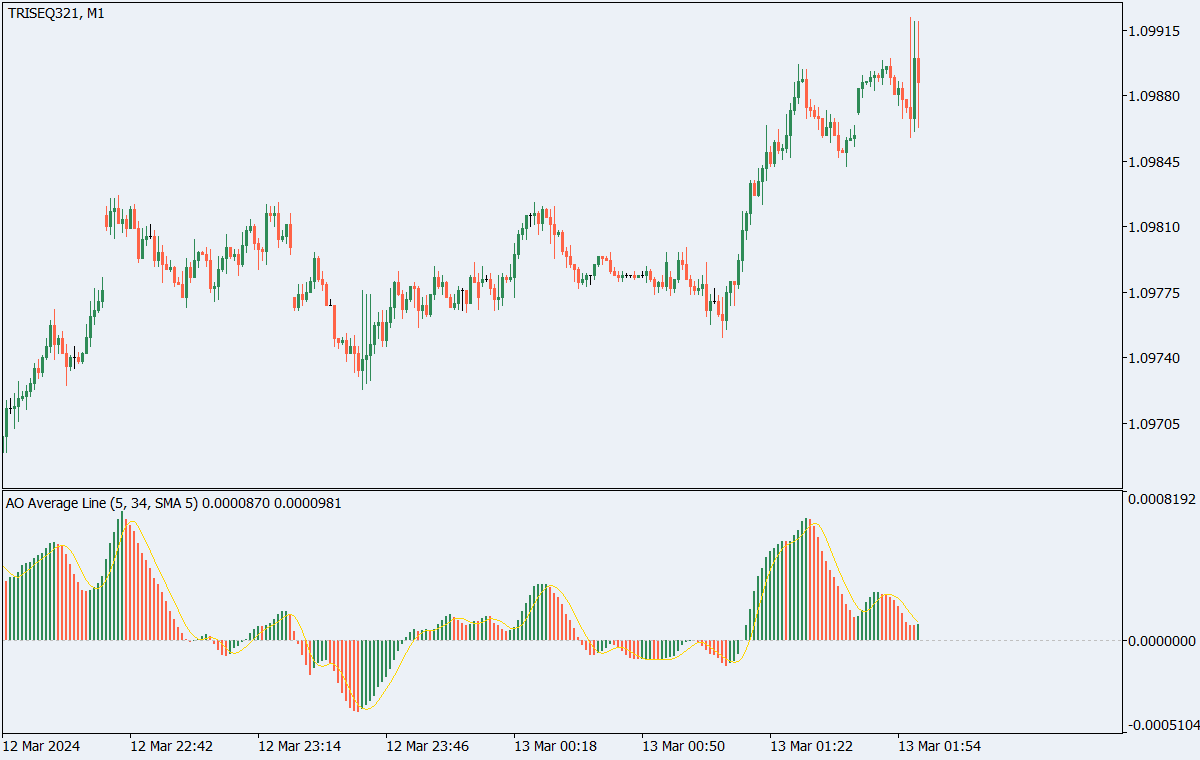
Examples with changed settings are in the manual.
Main settings
| Input | Default |
|---|---|
| Fast Period | 5 |
| Slow Period | 34 |
| Average Period | 5 |
| Average Method | Simple(SMA) |
| Alert on Closed-Bar Average Cross | false |
| Alert on Closed-Bar Zero Cross | false |
Usage specifications
Forming bar and recalculation
While the latest bar's price is moving, the displayed values and colors can also change. They are recalculated when history is added or corrected or settings change. Permanent non-repainting is not guaranteed.
Conditions for comparison
Compare with the same symbol, timeframe, settings and loaded history. The display is not a forecast of future price movement.
Start of drawing
AO starts from bar Slow. The average starts on the same bar with EMA, and with other methods Average−1 bars later. The defaults are AO from the 34th bar and the average from the 38th bar.
Timing of notifications
On the first price update of a new bar, the immediately preceding closed bar is judged. The time in the message is the start time of the bar where the crossing occurred. Times during market closures or feed interruptions are not guaranteed.
Start and recovery of notifications
In the first calculation after attaching or changing settings, it only records and does not notify past crossings. Even if several bars close at once, it checks only the latest closed bar and does not notify past ones all together.
When it touches and returns
Merely touching the average or 0 and returning to the same side is not counted as a crossing. A bar that passes through an equal value to the opposite side is counted. Because the judgment uses exact internal values, small rounding differences also have an effect.
2 kinds of notifications
If both conditions are met on the same closed bar, each becomes a notification target. Notifications are in English and include the symbol, timeframe and bar time. They are a record of a crossing and do not indicate the direction of the next bar.
Only 1 instance of the same product on 1 chart
This manual describes adding 1 instance of this product to 1 chart. To compare different settings, use separate charts.
For on-screen display only
This product shows calculation results through plot buffers and does not place orders. It does not guarantee profit or future price movement.
Full manual
How to read the display, the settings, installation and what to check when something goes wrong, on one page. The product is in preparation for release; the manual is published so that you can review its content.
- MT5 display and examples of changed settings
- How to read it in 30 seconds
- What it measures
- Situations for reading the display
- Steps for checking the display
- Installation and checking the package contents
- Settings
- Usage specifications
- Troubleshooting and usage notes
- Technical information and specification details