Alligator Alignment Arrows
Draws the three Alligator lines (jaw, teeth, lips) and puts an arrow on the bar where the visible line order and a Force Index condition newly line up.
Coming soon · MT5 only · no licence file needed
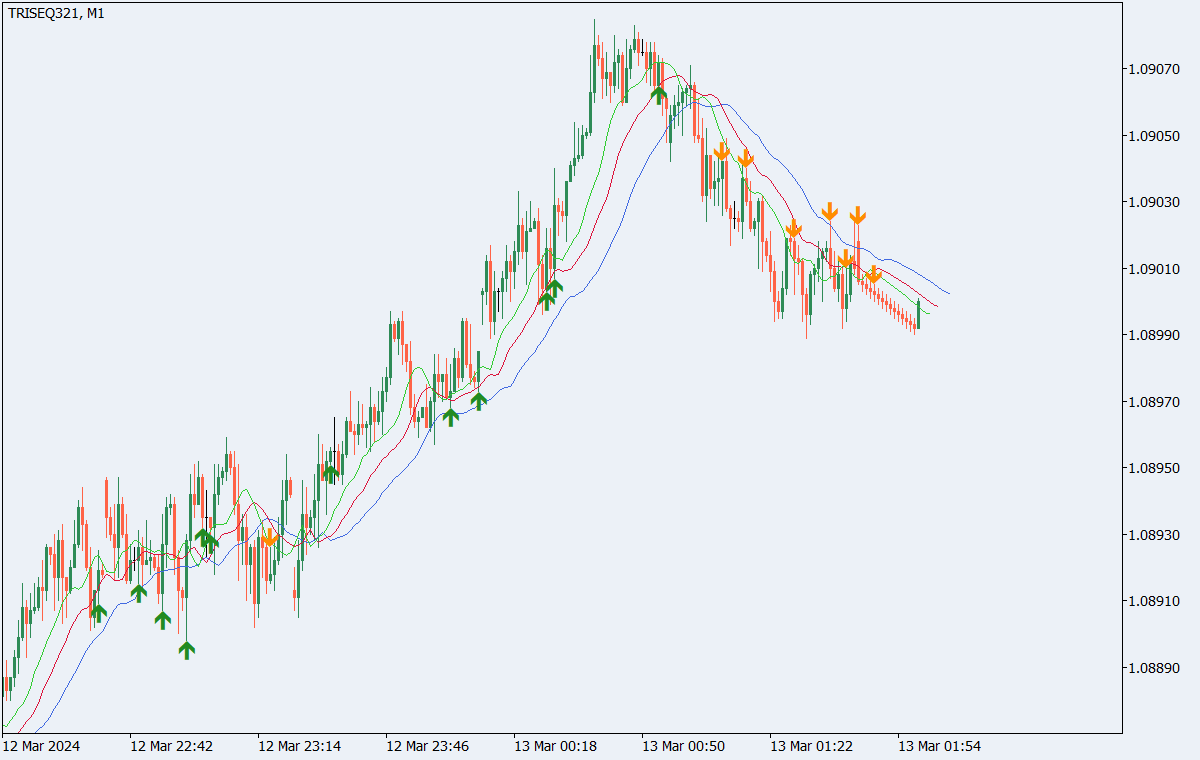
Examples with changed settings are in the manual.
Main settings
| Input | Default |
|---|---|
| Jaw Period | 13 |
| Jaw Shift | 8 |
| Teeth Period | 8 |
| Teeth Shift | 5 |
| Lips Period | 5 |
| Lips Shift | 3 |
| MA Method | Smoothed(SMMA) |
| Applied Price | Median (High + Low) ÷ 2 |
| Force Period | 13 |
| Force MA Method | Exponential(EMA) |
| Force Threshold | 0 |
| Closed Bars Only | true |
| Arrow Gap (pixels) | 8 |
Usage specifications
Equal line values
If the compared values among the 3 lines are equal, a strict order is not established. If Force is equal to the threshold, the arrow condition is also not met.
Forming bar
The current Force changes. A line with shift 0 also changes its value for that bar. Permanent invariance of the arrows is not guaranteed.
Lines and the standard indicator
The 3 lines use the same MA formulas as the standard Alligator. With the default and published changed-example settings, the values are the same as the standard. The arrows and condition records are additional displays of this product.
Only 1 instance of the same product on 1 chart
This manual describes adding 1 instance of this product to 1 chart. To compare different settings, use separate charts.
For on-screen display only
This product shows calculation results through plot buffers and does not place trade orders. It does not guarantee profit or future price movement.
Full manual
How to read the display, the settings, installation and what to check when something goes wrong, on one page. The product is in preparation for release; the manual is published so that you can review its content.
- MT5 display and examples of changed settings
- How to read it in 30 seconds
- What it measures
- Situations for reading the display
- Steps for checking the display
- Installation and checking the package contents
- Settings
- Usage specifications
- Troubleshooting and usage notes
- Technical information and specification details