ADX Squeeze
Overlays ADX, DI and the DI difference with dots comparing two kinds of width, so different information can be read in one window.
Coming soon · MT5 only · no licence file needed
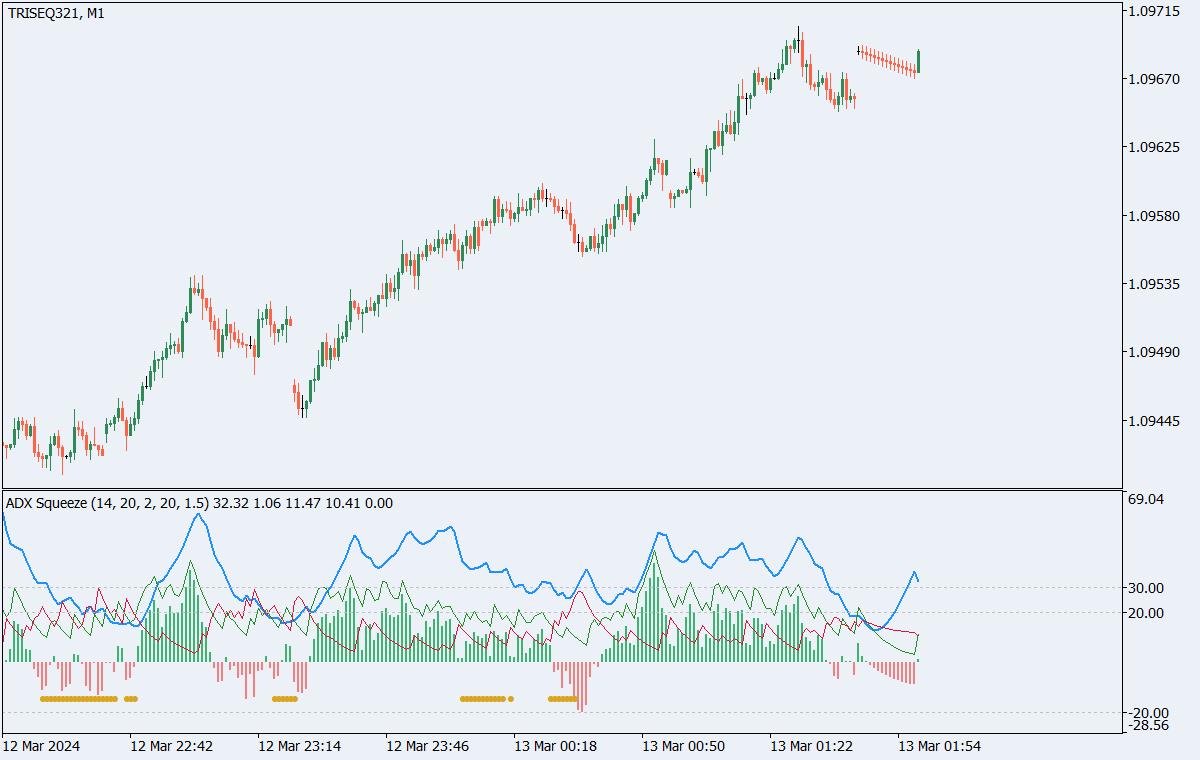
Examples with changed settings are in the manual.
Main settings
| Input | Default |
|---|---|
| ADX Period | 14 |
| Bands Period | 20 |
| Bands Deviation | 2 |
| Keltner ATR Period | 20 |
| Keltner Factor | 1.5 |
| Squeeze Dot Level | -15 |
Usage specifications
Start of display
ADX starts from bar 2n+1 counted from the oldest, and DI and the difference from bar n+1. The dots start once the longer of the Bands and Keltner bar counts is available.
Equal widths and no movement
When the widths are equal, no dot is drawn. The same applies when both widths are 0.
Latest bar and notifications
On the latest bar, lines, bars and dots can change. It does not issue alerts or place orders.
Only 1 instance of the same product on 1 chart
This manual describes adding 1 instance of this product to 1 chart. To compare different settings, use separate charts.
For on-screen display only
This product shows calculation results through plot buffers and does not place trade orders. It does not guarantee profit or future price movement.
Full manual
How to read the display, the settings, installation and what to check when something goes wrong, on one page. The product is in preparation for release; the manual is published so that you can review its content.
- MT5 display and examples of changed settings
- How to read it in 30 seconds
- What it measures
- Situations for reading the display
- Steps for checking the display
- Installation and checking the package contents
- Settings
- Usage specifications
- Troubleshooting and usage notes
- Technical information and specification details