Adaptive MA Slope
Shows how far a moving average, whose tracking factor changes with how price moves, moved in one bar. The size depends on the factor and on the distance between the close and the previous average. The unit is price.
Coming soon · MT5 only · no licence file needed
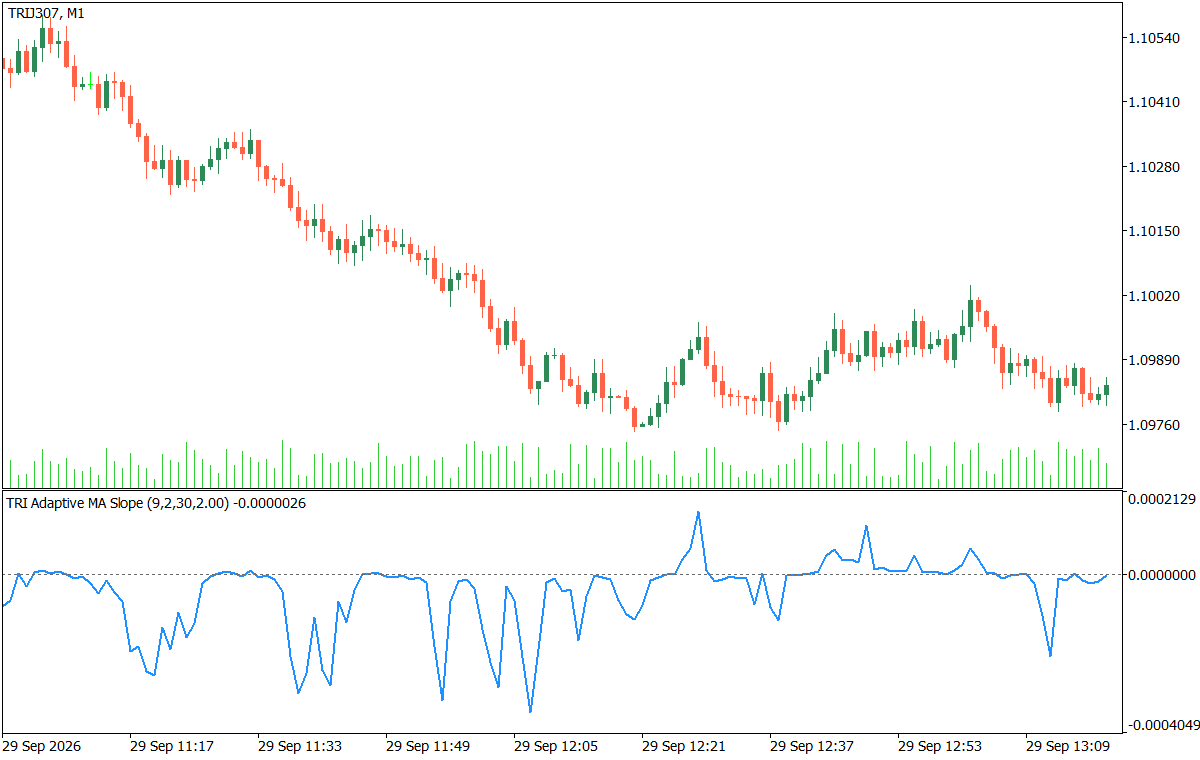
Examples with changed settings are in the manual.
Main settings
| Input | Default |
|---|---|
| Efficiency period | 9 |
| Fast period | 2 |
| Slow period | 30 |
| Coefficient exponent | 2.0 |
Usage specifications
Where the display starts
Display starts from the bar after as many bars as the efficiency period have passed. With the default of 9, the first displayed bar is the 10th bar counted from the oldest bar. Bars before that have no value.
Internal initial value
The close of the bar 1 before the first displayed bar is used as the starting point of the internal moving average. If the history before the displayed range increases or decreases, this starting point changes, and the values may change.
Unit
Same unit as the price. For a currency pair quoted with 5 digits, 0.00010 corresponds to 1.0 pips. The unit changes with the symbol, so do not directly compare the size of values across symbols.
When price movement stops completely
If the total of up and down movements in the period is 0, the efficiency ratio is calculated as 0. The coefficient in that case is determined by the slow period and the coefficient's exponent.
Handling of the current bar
The current bar is recalculated each time the close moves. When the bar closes, its value is also fixed.
Additions and corrections to history
If the data provider adds or corrects past bars, recalculation runs from that range.
Full manual
How to read the display, the settings, installation and what to check when something goes wrong, on one page. The product is in preparation for release; the manual is published so that you can review its content.