Accumulated RSI Levels
Sums the RSI of the close over several bars and builds three levels from the high-low range of that sum. Records the position of the main line against the levels in three colours, and can notify colour changes on confirmed bars.
Coming soon · MT5 only · no licence file needed
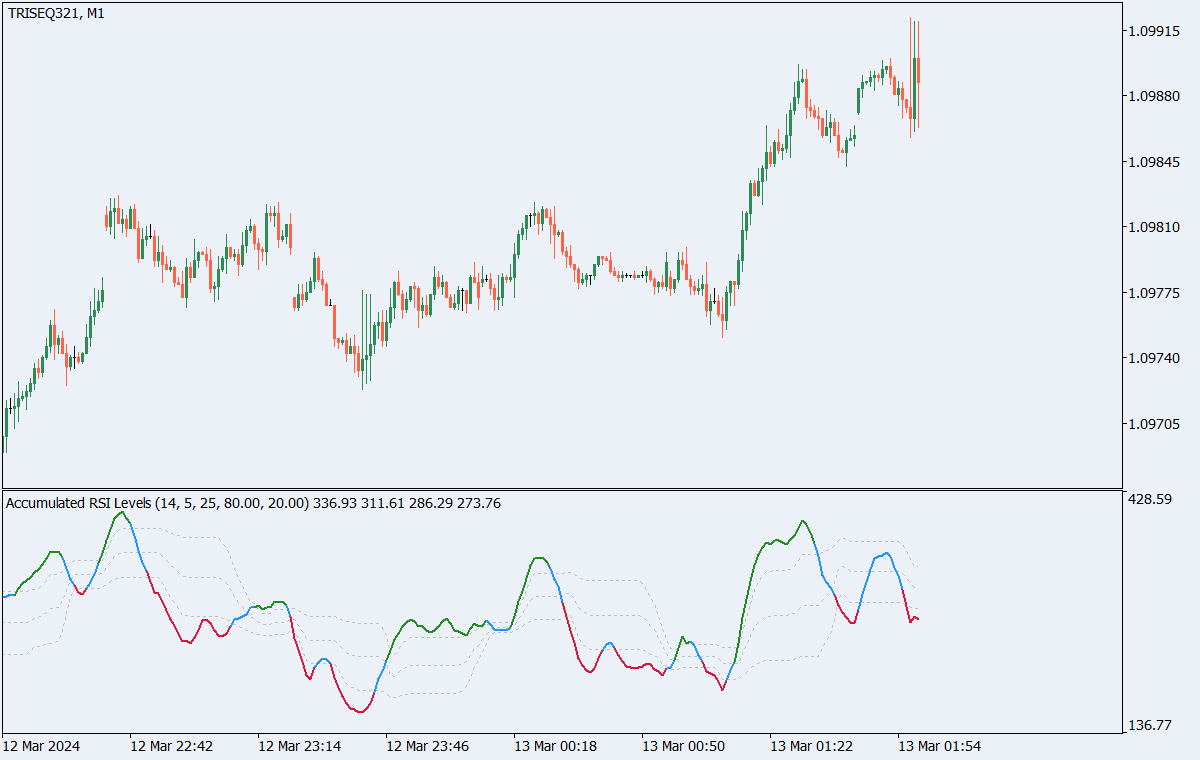
Examples with changed settings are in the manual.
Main settings
| Input | Default |
|---|---|
| RSI Period | 14 |
| Accumulation Period | 5 |
| Levels Period | 25 |
| Upper Level Percent | 80 |
| Lower Level Percent | 20 |
| Alert on Color Change | false |
Usage specifications
Forming bar
The values and colors of the rightmost bar change while the bar is forming. Past displays are also recalculated when history is added or corrected or settings are changed.
Do not judge blanks by the displayed numbers alone
If the required history is insufficient, lines and bars are not drawn. The 0 in the header alone cannot distinguish a valid 0 from the state before calculation, so check the number of bars and the drawing together.
Number of bars needed for preparation
The main line starts from bar RSI Period+Accumulation Period, and the levels Levels Period−1 bars later. The defaults are bar 19 for the main line and bar 43 for the levels.
Effect of the start of the history
RSI smoothing carries over past states. If the start of the loaded history changes, values and colors may differ. How many bars later they match is not uniformly determined.
Scope of notifications
No notification is sent right after first attaching; state changes are checked from new closed bars. Not all changes during an interruption are notified; the target is the latest closed bar at resumption.
Only 1 instance of the same product on 1 chart
This manual describes adding 1 instance of this product to 1 chart. To compare different settings, use separate charts.
For on-screen display only
Displays, marks and notifications are records of calculation results. They do not direct trading decisions and do not guarantee future price movements.
Full manual
How to read the display, the settings, installation and what to check when something goes wrong, on one page. The product is in preparation for release; the manual is published so that you can review its content.
- MT5 display and examples of changed settings
- How to read it in 30 seconds
- What it measures
- Situations for reading the display
- Steps for checking the display
- Installation and checking the package contents
- Settings
- Usage specifications
- Troubleshooting and usage notes
- Technical information and specification details